
Tag: volunteer management Page 1 of 39

Moving Beyond a Transactional Relationship with Volunteers

In the world of volunteer management, saying “thank you” is more than just good manners; it is a fundamental strategic tool. Research shows that while volunteers are rooted in altruism, they have a deeply human need to feel seen and valued. In fact, the absence of recognition is often more noticeable than its presence; volunteers may not seek constant praise, but they certainly notice when their efforts are taken for granted.

Effective recognition is the “social currency” that fuels a healthy volunteer programme. By acknowledging a volunteer’s time and emotional labour, you move from a transactional relationship to a psychological contract based on mutual respect and shared purpose.

Crafting the Perfect Message: The “Ice Cream Sundae” Approach

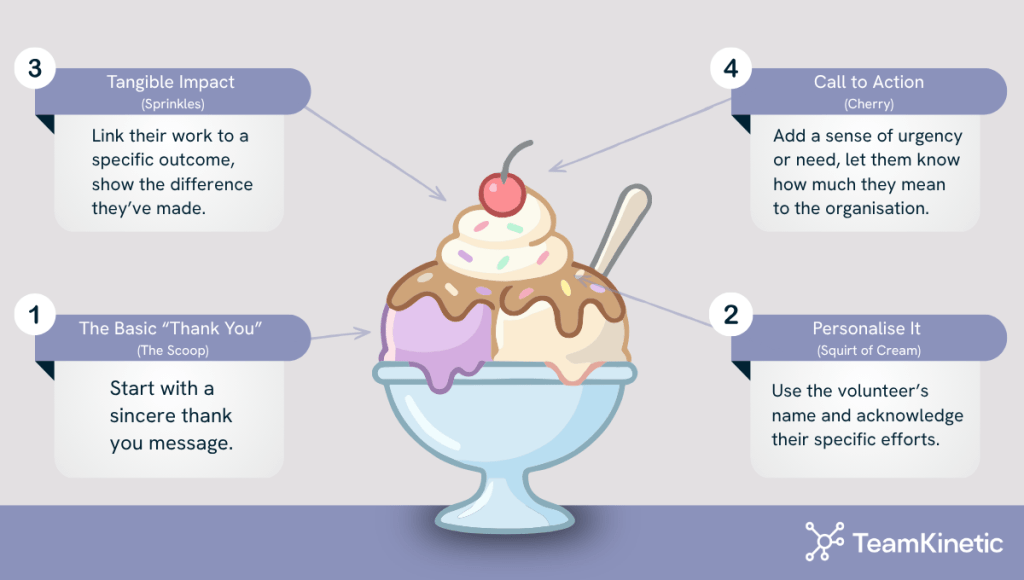
To move beyond “cookie-cutter” feedback, we recommend thinking of your feedback structure like an ice cream sundae.

…We promise it makes sense:

  • The Scoop of Ice Cream – The Basic Thank You
    Start with a sincere “Thank you”.
  • A Squirt of Cream – Personalise It
    Use the volunteer’s name and acknowledge their specific effort. For example: “Marjorie, you were absolutely great today”.
  • Some Sprinkles – Tangible Impact
    Link their work to a specific outcome. Instead of a general “thanks for your help,” try: “You made such a difference to the Rivers Cleanup Team today by clearing that difficult stretch of the bank”.
  • The Cherry on Top – The Call to Action with Scarcity
    Make them feel indispensable. Add a sense of urgency or need: “Without you, we can’t achieve this. We really want you back with us next Tuesday”.

The Science of Recognition: Nudge Theory and Behavioural Economics

Why does this specific wording work? It leverages powerful principles from nudge theory and behavioural economics:

Dopamine Hits

Recognition triggers a dopamine release in the brain, creating a positive feedback loop that makes the volunteer want to repeat the behaviour.

Loss Aversion

By wording your message to say, “Without you, we can’t do this,” you tap into loss aversion (the psychological principle that people feel the pain of a loss more than the joy of a gain). If they don’t return, they aren’t just “not volunteering”; they are “losing” the chance to make a unique impact that only they can provide.

Reciprocity

When a manager provides immediate, high-quality recognition, it triggers the rule of reciprocity, making the volunteer more likely to want to give back by returning for another session.

Feedback Loops

The TeamKinetic Thumbs UP feature provides immediate recognition, which is far more effective at reinforcing behaviour than a distant annual awards ceremony. This “micro-recognition” builds daily morale and fosters a pervasive culture of appreciation.

Why Low-Level Recognition Matters

Investing in regular, low-level recognition, like a quick thumbs up, is a strategic investment in sustainability. Evidence from NCVO’s Time Well Spent research indicates a direct link between feeling recognised and being satisfied. Satisfaction is the primary driver of retention; while 90% of very satisfied volunteers say they are likely to continue, that number drops to just 26% for those who are dissatisfied.

For younger volunteers (aged 18-34), recognition is even more critical, yet they often report feeling the least recognised. By using digital tools to provide frequent, impact-led feedback, you can bridge this gap and build a stronger, more committed volunteer community.


Find TeamKinetic elsewhere:

Volunteers’ Week: Why “Thank You” Matters More Than You Think

Guest blog for Volunteers’ Week, written by Ruth Buchanan Leonard

Every year, Volunteers’ Week invites us to pause — to look up from the processes of delivery management and remember that volunteering is, at its heart, a human act. And that gift of humanity deserves to be acknowledged.

But thanking volunteers shouldn’t be a ritual we perform once a year. It’s in the ongoing practice of noticing and showing appreciation. A way of tending to the relationships that make volunteer involvement possible.

And like all relational work, it’s more complex — and more powerful — than it first appears.

As I’ve written elsewhere: “Everyone likes to be appreciated and recognised for what they’ve done. This doesn’t mean that people are consciously looking for thanks; rather, that it becomes noticed if it’s never given.” That, to me, is the essence of meaningful recognition. Volunteers don’t volunteer for thanks — but they do leave when they don’t feel seen.

It’s tempting to think that the more extravagant the reward, the more appreciated volunteers will feel. But research — and experience — tell us the opposite. Too much or too big a reward can make people uncomfortable, or even create competition where none is needed. And of course, when we’re thinking about how to show our thanks, we need to be aware of Inland Revenue implications: giving cash (other than for out-of-pocket expenses), vouchers or setting up the expectation of regular gifts can blur the legal boundary between volunteer and employee. So it’s worth considering how you want to show your appreciation without putting volunteers or organisations at risk.

A thank you is relational. A reward can be transactional. Volunteers give their time because what they do matters. When we respond on set occasions or with grand gestures, we risk changing the meaning of their contribution. It could imply that volunteering is being “paid”, just in a different currency.

What volunteers want is to know that what they did made a difference. Sometimes the most powerful thank you is a quiet word when they’ve finished their shift, a handwritten note, or a moment of eye contact that says, “I saw that, and it mattered.” Opportunities to be heard and be involved in building the future are also valuable ways of showing people they are recognised as being important. Small, regular appreciation builds trust and belonging far more effectively than any annual celebration – important and fun as these may be.

And recognition is never a one-size-fits-all approach. As well as individual differences, there may be expectations of what feels like recognition based on age or background. I had a recent conversation with a younger volunteer about how students love a tote bag, for example. Some people love a public thank you; others would rather the floor open up beneath them than be singled out. Your role is not to assume how people want to be thanked, but to notice, to ask, and to be ready to adapt your plans.

Volunteers stay where they feel welcomed, supported and appreciated. They leave when they feel invisible. Silence and not having contribution noticed, more than anything, turns people away.

So, this Volunteers’ Week, say thank you and celebrate what volunteering brings. Say it often. Say it genuinely. Say it in ways that respect the volunteer’s agency – and plan how to make this ‘thanks’ habitual. Because volunteering practice is built on relationships, reflection and responsiveness. Recognition is one of the simplest—and most powerful—ways to live those values.

If you want to reflect more on ways to thank volunteers and volunteer involvement more widely, this upcoming coaching programme from our friend Tobi Johnson may help. Learn more here: https://volpro.mykajabi.com/a/2148280246/zNVTAr8m 

As a special offer for TeamKinetic members, use code RUTH to get 15% off.

I’ll be offering complementary drop-in webinars throughout the course, so email me at ruth@teamkinetic.co.uk if you want to be involved. 

How you can Reward your Volunteers with Virtual Badges

Volunteers’ Week is just around the corner! With that in mind, how do you currently recognise your volunteers’ contributions? If you’re looking to improve your volunteer engagement, TeamKinetic’s versatile badge system is a great way to reward and recognise volunteers, validate their training and skills and guide them towards the most suitable roles. 

Badges and reward pathways introduce gamification to volunteering, making it a driving force in volunteer retention. Using automated reward pathways ensures that no milestone is missed and volunteers are recognised at each stage of their journey. 

Different Badges in TeamKinetic:

Achievement Badges 

These badges provide a linear reward pathway, allowing the volunteer dashboard to become a Trophy Case.

Once a badge is earned, it’s featured prominently on the volunteers’ dashboard and is downloadable via their achievement record, which they can take onto future opportunities.

Customisation is the key here! Whilst TeamKinetic provides a default set of badges, you can redesign these badges, change their name and alter the hour count required to achieve each level.

Introducing a VMS shouldn’t mean a personal touch is lost, and badges are a great way to add your own flair.

If you’re stuck for ideas, think of any emblems associated with your organisation and incorporate them into the design!

Award Badges

Custom Award Badges allow you to get really creative with how you recognise volunteers.

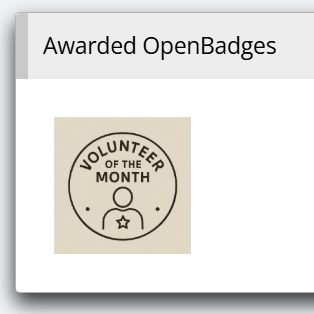
Here you can design and upload Open Badges to record details around skills and achievements. Or you can upload your own designs to recognise Long Service, Volunteer of the month or other awards specific to your organisation.

Similar to Achievement Badges, Award Badges also appear on the volunteers’ dashboard and form part of their achievement record.

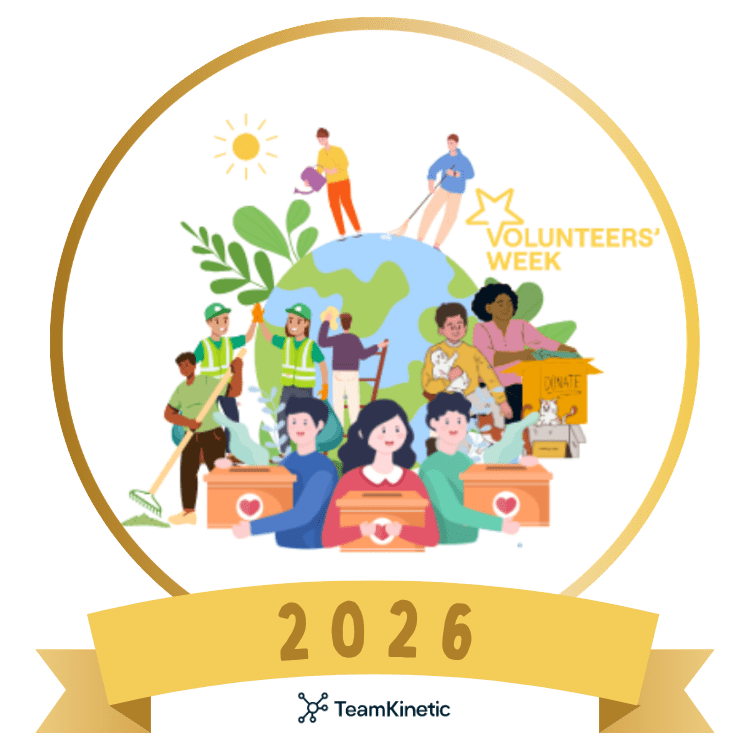
As part of the celebrations, we’ve created this custom TeamKinetic 2026 Volunteers’ Week Recognition Badge that anyone can use to recognise their volunteers between the 1st and 7th June.

Creating a custom badge like this from your organisation is a super simple way to show your volunteers that they’re appreciated.

Opportunity Badges: 

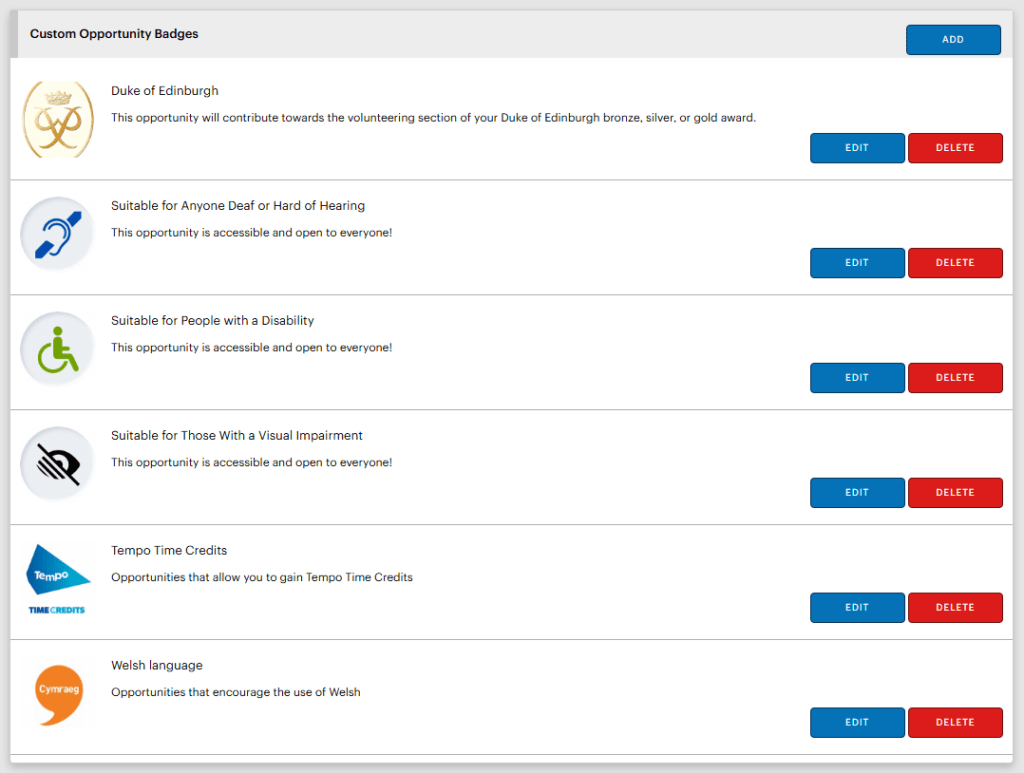
Badges are not only given to people; they are also used as fully customisable visual indicators attached to specific volunteering roles.

Administrators can tag opportunities with badges such as “Great for Corporate Teams”, “Micro Volunteering”, or “Suitable for Duke of Edinburgh Awards.” These visual cues allow volunteers to search for opportunities more fluidly and select their preferences more easily.

The TeamKinetic badge system helps you reward every effort, from major milestones to micro-volunteering tasks.

We challenge you to get inventive with your badge designs and reward pathways for Volunteers Week. The more personal and specific the recognition, the more valued your volunteers will feel!


Learn more about Reward and Recognition

On Wednesday 3rd June, Steve will be leading a Masterclass on volunteer reward and recognition within TeamKinetic. We’ll be showing you all the top tips to get you into the swing of things with Volunteers’ Week!

TeamKinetic users can book now for free via their system: Help & Support → Masterclasses & Training.

Digital in Volunteering Community of Practice

The CoP also has a lot of great resources for volunteer managers looking for tips on reward and recognition. A webinar back in September 2025 took a deep dive into all about the different ways you can say thank you to your volunteers. We heard from speakers from Volunteer Glasgow, Tempo, and Tickets for Good. You can read all about this session and watch the recording back here (membership is completely free).

The Digital in Volunteering Toolkit also contains a whole chapter about reward and recognition, which you can also access here.

Access Resources for Volunteers Week

The official Volunteers Week website has an array of great resources. Including materials for engaging with the campaign online, hosting events (both virtual and in person), top tips, and much more. Access these here.

The Volunteers’ Week Padlet

They’ve created a Padlet – a collaborative online pinboard where you can share and explore inspiring stories, photos, and messages of appreciation related to volunteering.

Whether you’re highlighting your own volunteering journey or thanking someone who’s made a difference, the Padlet is the perfect space to celebrate the incredible impact volunteers make every day.

Share your experiences now. Help them build a vibrant wall of gratitude and celebration!


Find TeamKinetic on socials:

Is a volunteer onboarding bottleneck slowing down your impact?

Why your current roles and volunteer onboarding might be hitting a ceiling.

We are all familiar with the onboarding dance.

A volunteer signs up, then you email them for an ID.

Then you wait.

Then you realise you forgot to send the link for the induction meeting.

Then you have to manually move them into the verified column in your spreadsheet or update their status in your CRM once they finally send that photo.

It’s disconnected, manual, frustrating and prone to error and missed opportunities. Just as importantly, it’s one more time barrier to engage with your volunteers; they get bored, they change their minds, and you lose them and their potential!

It’s a lot of chasing, and frankly, a lot of friction.

We’ve been listening to our power users, and it’s clear: the way we manage the journey from “Interested” to “Active” needs to evolve. We’re working on something that turns that zig-zag process into a straight line.

No more disconnected processes, no more time-consuming checks, just straightforward, integrated actions that take your volunteer journeys from step 1 to completion in one place.

Keep an eye on this space. “Roles” as you know them are about to get a lot more… fluid.


If you’re not a TeamKinetic user but you’d like to be kept up to date with TeamKinetic updates, email alex@teamkinetic.co.uk and we’ll get you on our mailing list!

Guest Masterclass series with Paddy Hanrahan: From stories to evidence: practical impact for volunteer-led organisations.

Volunteer managers often know the difference their organisation makes — but struggle to evidence it in ways that funders, trustees, and partners trust.

This practical masterclass explores how volunteer-led, community organisations can move from stories and activity counts to clear, credible evidence of impact — without over-complicating things or becoming an evaluation expert.

Drawing on real examples from community organisations, the session will show how better impact evidence can strengthen funding applications, increase confidence in conversations with partners, and support smarter decisions internally.

The focus is on practical, proportionate approaches that work for small and medium-sized organisations where time and capacity are limited.

Who are Patchworks?

We help community organisations (local VCSE) to produce independent evidence of their impact.

Using a process called Covaluation – coproduced evaluation – we codesign outcomes around how you work, help you collect the data needed to prove them, and produce a brilliant report that will help you improve services and raise more funds.

Most of the organisations we work with have volunteers at their core, and measuring the social value of their contribution is crucial. 

PatchWorks is the creation of Paddy Hanrahan, an experienced leader in the UK volunteering space. 

Visit Patchworks’ website.

Connect with Paddy on LinkedIn.


TeamKinetic users can join via their system by going to Help & Support → Masterclasses & Training.

Not a TeamKinetic user? No problem. You can still join us for this Masterclass via our Eventbrite page! Tickets are free for everyone.

The Heart of Your Programme: Volunteer Reward and Recognition

We all know that a simple “thank you” goes a long way, but in the busy world we live in, it’s easy for volunteer reward and recognition to slip to the bottom of the to-do list. However, acknowledging the time, skills, and emotional energy your volunteers give is actually the backbone of a healthy and sustainable programme.

By acknowledging the time, skills, and emotional energy volunteers give, you’re doing more than just being polite; you’re making a strategic investment in your organisation’s future.

Why recognition matters more than you might think

Most people volunteer for altruistic reasons. They want to help or feel a personal connection to a cause. However, as Ruth Leonard and Jurgen Grotz note, while people aren’t usually hunting for thanks, they certainly notice if it’s never given!

‘Most of us like to be appreciated and recognised for what we’ve done. This doesn’t mean that people are consciously looking for thanks, rather that it becomes noticed if it’s never given. Probably, the most important thing that can be done in order to continue a relationship with volunteers is to make sure they know that they and what they do are valued.’

Grotz & Leonard (2022)

Focusing on appreciation isn’t just a “nice” thing to do; it makes great business sense, too. It leads to:

  • Lower Turnover: Volunteers stay longer, which means you spend less time and money on constant recruitment and onboarding. NCVO’s Time Well Spent research found that 81% of satisfied volunteers plan to continue over the next year, compared to just 26% of dissatisfied ones.
  • A Supportive Community: When you recognise volunteers, they start to recognise each other, creating a friendly, reciprocal environment.
  • Better Results: High engagement usually leads to better outcomes for the people or communities you serve.
  • Attract Younger Talent: Recognition is especially important to younger volunteers. While 40% of all volunteers value it, that number jumps to 49% for those aged 18–24.

Simple Ways to Say Thanks

You don’t need a massive budget to make someone feel valued. In fact, research shows that the most popular form of recognition is just a verbal or written thank you.

  • Personalised Notes: A quick email or a handwritten letter can mean the world.
  • Validation from the Top: Having a thank-you note come from a senior leader or the head of your organisation can make a volunteer feel their work is being noticed by the whole charity, not just their immediate supervisor.
  • Tangible Proof: Certificates remain a classic and effective way to celebrate a job well done.

Keeping it Legal: The Tax Bit

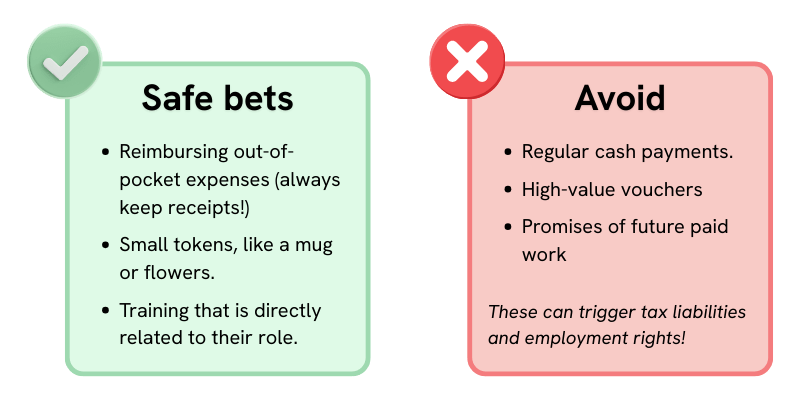
Before you start handing out gifts, it’s important to keep HMRC in mind. To avoid accidentally creating an employment relationship, rewards should be occasional, low-value, and unexpected.

An image showing a green box with what are considered safe bets. These include: Reimbursing out-of-pocket expenses (always keep receipts!), small tokens like a mug or flowers, and training that is directly related to their role.

It also has a red box with things to avoid. Including: Regular cash payments, high-value vouchers, or promises of future paid work, as these can trigger tax liabilities and employment rights.

Making it Easier with TeamKinetic

If you use the TeamKinetic system, there are some built-in tools that can help you automate these “thank yous” so they don’t get forgotten. If you use other tools, you can still use these ideas as a blueprint for your own recognition strategy.

The “Ice Cream Sundae” of Feedback

We love this metaphor for giving great feedback. Rather than a “cookie-cutter” message, try layering your appreciation like a sundae:

  • The First Scoop: The base—a simple “thank you” for their time.
  • The Sprinkles: A personal detail about something they did well (e.g., “You were so helpful with the registration desk today!”).
  • The Cherry on Top: A warm invitation to come back again soon.

Milestone Badges (Gamification)

You can create Custom Award Badges for anything you like—from “Volunteer of the Month” to “Length of Service” milestones. Some organisations get creative, using nature-themed badges where a new volunteer starts as a “Seed” and grows into a “Veteran Tree” over time. These digital badges appear on the volunteer’s profile as a permanent record of what they’ve achieved.

HourTrades: Exchanging Time for Perks

HourTrades allow volunteers to “swap” the hours they’ve logged for small rewards.

  • What to offer: This could be some branded kit, like t-shirts or mugs, or even better, training opportunities like a first aid course or a coaching qualification.
  • How it works: You set the “price” (e.g. 10 hours for a t-shirt), and the system handles the request for you.

High-Value Perks at No Cost

Through our integrations, you can offer some pretty cool perks without spending a penny of your own budget:

  • Tickets for Good
    Gives volunteers who have logged a set amount of hours access to free/discounted tickets for live music, comedy, and sports events.
  • Tempo Time Credits
    A national scheme where volunteers earn credits in exchange for volunteering hours. They can then spend credits on various experiences.

Are you a visual learner?

In this recent TeamKinetic masterclass, Rolf went through some of the most effective way to thank you volunteers. He shows you how to use TeamKinetic to effectively reward and recognise your volunteers.

Final Thoughts

At the end of the day, you don’t need any fancy methods of reward and recognition. You just need to be consistent and sincere. Whether you’re sending quick feedback after they’ve completed an opportunity or setting up a badge system for long-term achievements, the goal is to make sure your volunteers know that what they do truly matters.

You can access a full training guide for reward and recognition here.

If you’re a TeamKinetic user, why not jump into your super admin menu today and try creating your own Achievement Badges or add some HourTrade vouchers? If you aren’t using the system yet, why not contact us to see how we can help you.

What’s next?

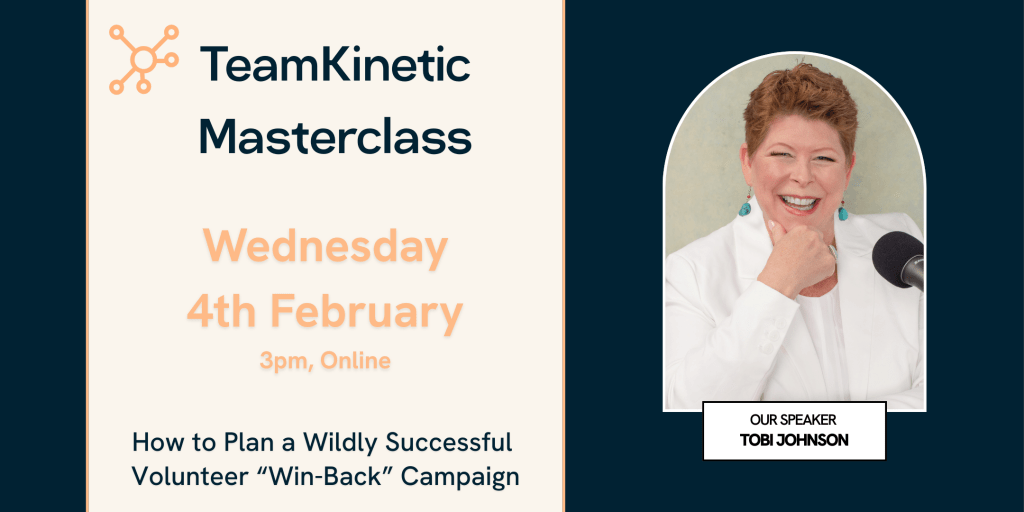
Next up in our Masterclass series, we’re joined by Tobi Johnson. Tobi is an expert in all things volunteer management and has been sharing her wisdom via VolunteerPro since 2015. She’s joining us to discuss how to re-engage lost volunteers. Or, in her words, “How to Plan a Wildly Successful Volunteer “Win-Back” Campaign”!

TeamKinetic users can book now via their system (Help & Support → Masterclasses & Training), everyone else can use this Eventbrite page to reserve their place. We think this will be a popular one so get tickets while you can!

TeamKinetic 2.6.1 Update: Your Questions Answered

Our recent masterclass walked through the new features in the TeamKinetic 2.6.1 update. While this might be a smaller release in name, it’s packed with improvements that lots of you have been asking for.

We’ve pulled together a full summary of everything covered, including questions raised during the session. And you can watch the recording below:

Granular Permissions

Follow along in the recording from 01:32

What are granular permissions?

They allow you to configure administrator access far more precisely than before. Instead of choosing between super admin and standard admin, you can now specify exactly what each admin can see and do.

What new admin roles can I create?

Examples Steve showed during the session included:

  • Super Admin: unchanged, full access including configuration.
  • View-Only Admin: can view volunteers, opportunities and reports, but cannot edit anything.
  • Task-Specific Admin: e.g. someone who can only process expense claims.

Can providers get extended permissions too?

This was a common question. The direction of our current roadmap is to give you the ability to downgrade administrators rather than upgrade providers. The long-term aim is to let organisations convert some provider users into limited admins, where appropriate.

Can admins be limited to only certain opportunities?

Yes. Granular permissions already allow you to restrict which opportunities an admin can access.

Is this the first version of granular permissions?

Yes. More options will be added over time based on your feedback – so make sure you give us plenty via Support Tickets!


Account Assignment

Follow along in the recording from 09:38

What is account assignment?

A new feature that lets you assign additional people to receive communications about a specific opportunity, beyond the main provider email.

You can now assign:

  1. A specific administrator
  2. A specific additional provider user
  3. Any email address (optional custom field)

Why is this useful?

It supports real-world workflows such as:

  • Job-sharing providers (e.g. one manages Mon–Wed, another Thu–Fri).
  • Admin-led recruitment followed by provider-led delivery.
  • Providers who need multiple colleagues to receive join/leave notifications.
  • Organisations with central oversight teams or mailing lists.

Can I assign more than one additional provider user?

Right now, one additional provider user can be selected. Multiple users may be considered in future if there is demand.

Can the “assigned email” be anything at all?

Yes, it can be any address, such as:

  • A mailing list
  • A shared inbox
  • A finance team member who must see expense-related emails

Do opportunities have to be linked to a provider for this to work?

Yes. Provider users only appear in the dropdown if the opportunity belongs to their provider.

What if all opportunities are created centrally (not under the provider)?

You can still use the custom email box to send notifications to additional people. If you’d like to restructure your set-up, the support team can help.

Can provider users from other providers be assigned?

No, only users attached to the same provider as the opportunity.


Tickets for Good Integration

Follow along in the recording from 18:23

What is Tickets for Good?

A platform offering free tickets (volunteers pay only a small booking fee) to events such as:

  • Concerts
  • Cinema
  • Sports
  • Cultural events

Volunteers simply need to have logged at least one hour.

How do we enable it?

Go to:
Super Admin Settings → Setup → Integrations → Tickets for Good,
then follow the “Get Started” link.

Is the Tickets for Good integration available across all UK nations?

The expectation is that it is UK-wide, but availability depends on participating venues. TeamKinetic will confirm finer details with Tickets for Good.

Is this automatic for all organisations?

Most charities and non-profits will qualify, but some organisations may not meet the criteria. Approval from Tickets for Good is required.


GoVo Integration

Follow along in the recording from 19:33

What does the GoVo integration do?

Allows you to publish your TeamKinetic opportunities directly to the Royal Voluntary Service’s GoVo platform, increasing visibility and reach.

How do I connect it?

Add your Go API key via:
Super Admin Settings → Setup → Integrations → GoVo.

What opportunity details carry across?

Supported fields include:

  • Title and description
  • Flexible and session-based opportunities
  • Start/end dates
  • Sessions scheduled

Images currently cannot be transferred. GoVo supplies a default image.

Can we use our existing GoVo account?

Yes, simply retrieve your API key via your GoVo dashboard.


Log All Hours: Improvements

Follow along in the recording from 22:41

What’s changed?

A few upgrades:

  • The “maximum hours” column has been removed after feedback that it caused confusion.
  • You can now filter by provider, allowing you to focus on organisations that need support logging hours.
  • A new checkbox lets you preserve part-logged hours on sessional opps, preventing them being overwritten by accident.

Why is this useful?

Admins can now easily mass-log hours for specific providers, especially helpful where providers don’t keep up with logging.


Questions Answered During the Session

Can providers be given the ability to update ID or criminal record checks?

Not directly. The plan is to move providers into “limited admin” roles over time so they can carry out tasks like ID and DBS updates with appropriate permissions.

Will the update affect how we currently receive notifications?

No. Your existing setup remains. You now have additional options, but nothing changes automatically.

How many admins can we have?

As many as you need. Admin accounts are one of the few paid-for elements in TeamKinetic, but there is no system limit.

How many provider users can an organisation have?

Unlimited. Provider users remain free.


Final Thoughts

We hope this TeamKinetic 2.6.1 update brings meaningful improvements. With this update, we aim to make day-to-day volunteer management more flexible, more transparent, and easier to share across teams.

From granular control of admin privileges to smarter communication and enhanced external integrations, we hope this release adds value for your organisation.

If you have any questions, feedback, or configuration challenges, our support team is always here to help. And please don’t hesitate to send us new feature requests via support ticket!

Connect with TeamKinetic:

Conversation Triumphs at the ODI Volunteering Hackathon

What an incredible event. On behalf of the entire winning team, ‘Table 1,’ I want to start by extending our sincere thanks to the Open Data Institute organisers for arranging the Volunteering Hackathon 2025! The atmosphere was lively and fun, and it was genuinely inspiring to see so many dedicated people tackling the challenges of open data infrastructure and improving volunteer systems. 

This victory, and all the outcomes from the day, are a testament to the fact that when passion meets technology, real community impact is indeed inevitable.

I am immensely proud of our team: Chris Martin, Dr. Amy Burnett, Andrew Mene-Otubu, Matt Parker, Murphy Campbell, Aaron Amato, and Nyaha Duri. To my teammates – thank you. Your collective brilliance, from deep domain expertise to sharp technical skills, made our prototype, a reality in such a short time.

The Challenge: Making Volunteering Human-Centric

We focused on user-centric discovery and experience, and specifically tackled the question: “Can finding a volunteer role be as easy as asking a friend?

We aimed to create a conversational, generative search agent that leverages standardised open data to move beyond simple keyword filtering, making it effortlessly accessible.

The truth is, traditional search forces people to translate their human needs into rigid database queries. We saw an opportunity to build a system that understands the nuance of intent. Our solution, Project Alpha, is a natural language interface for volunteer opportunities that delivers a “Humanistic Search for Humans”.

Building the Brain: A Training Context for the LLM

Our core innovation was not just using a Large Language Model (LLM) – we worked on linking the open dataset via LLM to the Model Context Protocol (MCP) – but also how we trained it. We knew that to achieve truly empathetic and accurate matching, our model couldn’t be a generic bot; it needed a soul.

This is where the groundbreaking research of our own Dr. Amy Burnett (and Catherine Wilder) was instrumental. We adapted their framework, developed under a British Academy Policy Innovation Fellowship, to create a deep training context for our AI agent. This framework moves beyond simple transactional data like “skills” and “location” to probe the user’s purpose and story.

The LLM’s training wasn’t just about indexing 10,000+ opportunities; it was about internalising human motivation. The key questions we built into the agent’s context included:

  • Who are you?
  • Where have you come from? 
  • What is the user’s purpose and story?
  • What value do they hope to create?
  • What prior knowledge and experience can we call upon? 
  • What does transformation look like and feel like to you?

By forcing the model to engage with these profound human questions, we could elicit the necessary data, like passion & cause, logistics, and skills & mood, in a conversational, non-intrusive way. For example, when a user persona like Sarah says, “I have free time on Sunday afternoons, and I love being outdoors. I want to help somewhere that feels calm”, the system instantly understands her schedule, interest, and desired vibe.

We also ensured the model was fine-tuned on the specific taxonomies, emotional sensitivities, and operational realities of 23 distinct impact sectors, so it can understand that “working with hands” has a very different meaning in ‘Art & Culture’ versus ‘Disaster Relief’.

Universal Access: Multi-Channel Distribution with Cisco Webex Connect

A fantastic conversational agent is useless if no one can access it. Our architecture, which includes a User Chat that extracts data into an ‘Ephemeral Profile’ and posts it to our MCP Server, was designed for scalability and integration.

To ensure Universal Access, we designed the system to use Webex Connect. By connecting our MCP server to Webex Connect, we successfully bridged the gap between our intelligent agent and the platforms users use every day.

This seamless omnichannel integration means our natural language engine can power interactions across vital communication channels, making the search for volunteer opportunities truly accessible to everyone, regardless of their preferred platform:

  • WhatsApp for global reach 
  • Facebook Messenger for social connectivity
  • SMS for universal accessibility
  • Apple Messages (iChat) for iOS integration

This architecture ensures that finding a role is not confined to a single app or website, but is available wherever the user is, supporting a seamless, cross-platform volunteer journey.

The Next Chapter

This Hackathon was a massive success for open data in volunteering. Our team has demonstrated that we can move beyond filtering by postcodes and categories and connect individuals to purpose through conversation.

We’re incredibly excited about the downstream opportunities Project Alpha opens up, from generating user data to optimising the AI’s performance to connecting outcome metrics to personal profiles.

This is the start of these amazing technologies becoming part of TeamKinetic.

A final, heartfelt thank you again to the amazing people on Table 1. It was an honour to build this with you.


Connect with TeamKinetic:

TeamKinetic 2.6.1 Minor Release

The TeamKinetic 2.6.1 Minor Release is coming soon, and we want to tell you all about what to expect when the update drops.

This is the largest update to our user features so far in our release history!

Granular Permissions

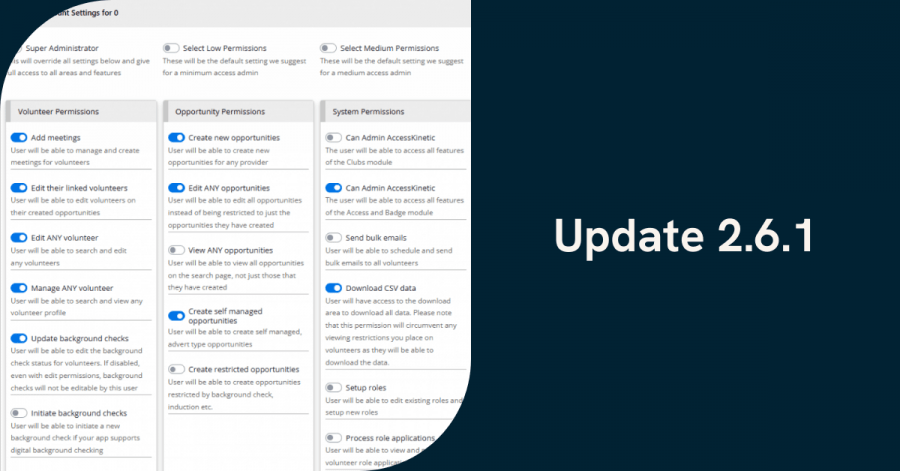
Super admins can now select granular permissions for all your administrators. Permissions are split over the four areas of volunteers, opportunities, providers and system. Each administrator can have their own bespoke permissions set. There is also a handy set of presets for low, medium, and high-level permissions.

All your current administrators will have all permissions enabled EXCEPT the system permissions, and should experience very little difference to their current mode of operation.

POD administrators will still behave as before, but their limited access to opportunities and volunteers within their pod can be overwritten by the edit all opportunities and volunteer permissions. Any existing POD admins will have those permissions disabled so that the existing POD rules are still enforced.

Of particular note are the new system permissions that allow selected administrators to edit role and reference definitions as well as process role applications and submitted references. This is the first time that Super Admins can assign some roles that were previously Super Admin-only to general administrators.

The opportunity assignment options, as detailed in the next section, can be used to define which opportunities can be accessed by administrators without the edit all opportunities permission. In these cases, any opportunity that is created by an administrator or has been assigned to an administrator is viewable and editable by the administrator.

You can refine and update all your administrators from the Super Admin Menu > Admin Accounts.

You can watch an introductory video here that explains a little more about the permission.

Account assignments for opportunities

Super administrators can now assign individual administrators to particular opportunities. This has two effects.

Firstly, it enables the administrator edit access to the opportunity when they don’t have the edit all opps permission enabled.

Secondly, all enabled administrator email communications will be directed to both the assigned user and the regular central app email.

Administrators and providers can also assign a provider user to the opportunity, which affords no extra access but direct email notifications to the selected user in addition to the central provider email address.

Finally, you will notice that there is a nominal contact email box available to providers and administrators. Here, you can add any email address which will also be added to the email communications for this opportunity.

This has the advantage of not being connected to an existing user, so you could use mailing lists or group emails. Please take care not to use unauthorised emails that could enable some leaking of details to non-authorised contacts.

This nominal email feature can be optionally disabled to prevent the risk of data leakage.

Take a look at the feature in more detail.

GOVO Integration

This is great news as the GOVO platform is gearing up and people are starting to talk about it.

Available from your super admin menu > setup > integrations page you simply have to add your API key to start sharing your opportunities directly to your account at GOVO.

You can either choose to share when adding an opportunity or when editing an existing opportunity. GOVO supports remote/at home opportunities, flexible and sessional and any interested volunteers that find you on GOVO will be redirected back to apply on your TeamKinetic platform. Exciting times.

We’ve put a little video together for the new GOVO and Tickets for Good integration (see below).

Tickets For Good – Another great way to reward your volunteers

We’ve teamed up with tickets for good to enable your volunteers that have logged hours to get their hands on free or heavily discounted tickets to a huge selection of top events. There is always a small booking/ticketing fee to pay and all tickets are on a first come first served basis.

We have to pre-authorise your organisation to make sure it meets the criteria Tickets for Good set out. If you are interested pop along to the super admin menu > setup > integrations to start the ball rolling.

New status options

As part of the revocation options, you can now elect to remove a volunteer’s future sessions when revoking access. This means that their names will no longer show up on opportunities for future sessions, so they should not be expected or allowed to participate.

New Font – What do you think

We have updated the admin system header and body fonts, we think the titles are more readable now. Hope you like it.

Did you know you can use the CSS editor in your super admin setup area to set your own custom fonts for your volunteer pages..? Open a ticket if you want to know how.

New search filters

It’s always difficult to filter out who is active, inactive, available etc, not least because what those words mean is not standardised and they can mean different things in different contexts.

In terms of reporting and hours the TeamKinetic definition of active is always on a session OR logged hours between the filter dates. However when referring to volunteer auto deletion active also includes a login event; a volunteer that has joined no opportunities but has logged in, will not be auto deleted as they are considered active.

To help, we have added some new filters to handle these different situations.

The filters have some extra text so you know exactly what the filter includes and we’ve added a new filter that will pull up all volunteers that were on any opportunity in the period selected where they were not marked as finished.

Changes to log all hours page

The log all hours page has had some changes after talking with out Wildlife Trust customers who had some good ideas to make it more useful.

We have added a provider filter so you can look for specific provider’s outstanding hours, adding some more details on what the rules are when bulk logging hours.

A little checkbox to filter in/out those sessions where some, but not all, the available hours have been logged by a provider/administrator. Usually if less than the maximum hours have been logged, it’s for a reason and you don’t want that to be overwritten by the maximum.

A total can now be found at the bottom of the results and we have excluded the flexible max hours number as it was confusing and doesn’t add anything as when bulk logging flexible hours it copies the volunteer log history if it has more hours than the provider/administrator log history.

New SMS sending rules

This is actually a sort of backwards development! The rules around unsolicited text messages have been tightened up and they now prevent us from using any sender ID we wish when we send text messages. We now have to provide details on the sender ID, what it will be used for and other details, plus a regular monthly cost.

So for these reasons, we have suspended the sender ID options in the account profile area and all SMS messages are sent with a TeamKinetic sender ID. Apologies for those that have got used to having the old Sender ID flexibility.

Auto-suggest timing for typing to speed up results

You may have noticed when using the universal auto suggest search (still the best place to look for individual volunteers, providers or opportunities!) that it doesn’t attempt to search until you pause your typing. So if you type the characters S I M O N in quick succession without pausing, it will search once for ‘simon’ it wont search for ‘s’ then ‘si’ then ‘sim…..’.

This same technique has now been applied to the volunteer auto suggest searches when adding volunteers to sessions, adding meetings and everywhere else you see that volunteer search dialogue.

It reduces the time it spent searching and helps prevent timing issues with the appearance and fading of the list of auto suggested names.

Digital in Volunteering: One Year On – Have Your Say in Shaping the Future

This month marks one year since the launch of the Digital in Volunteering initiative – a sector-wide effort to understand how digital tools are transforming volunteering. It also serves to help volunteer managers build the confidence, capability, and connections they need to thrive.

From recruitment platforms and online training tools to CRM systems and new ways of keeping volunteers engaged, one thing is clear: digital isn’t just an add-on anymore. It’s central to how volunteering works today.

Over the past year, the initiative has grown rapidly across the UK voluntary sector. While digital in volunteering continues to evolve, we’re already seeing real innovation, shared learning, and a growing appetite to build on this progress.

What’s been achieved so far

The vision behind Digital in Volunteering is simple. To empower volunteer managers with the tools, knowledge, and peer support they need to use digital confidently and purposefully.

The Digital in Volunteering Toolkit

A practical resource designed to help volunteer managers adopt digital approaches with confidence. Whether you’re starting small or scaling up. From assessing your organisation’s digital maturity to embedding inclusive practice, the Toolkit has already supported hundreds of people across the sector.

Access the Toolkit here.

The Digital in Volunteering Community of Practice

Now more than 300 volunteer managers strong, the Community is a space for sharing ideas, learning together, and supporting one another on the digital journey. Built by volunteer managers, for volunteer managers, it’s a collaborative network that’s only just getting started.

Through webinars, discussions, and case studies, one clear message has emerged: the future of digital in volunteering will be shaped by practice, not platforms.

Join the Community of Practice.

Help shape what comes next

As the initiative looks ahead to 2026, the team wants to understand what volunteer managers need most. What’s working? What’s missing? And where is more support needed?

You can help by completing the 2025 Digital in Volunteering Survey. It takes just a few minutes, and your insights will directly shape the support, learning, and resources offered next year.

Take the survey here: https://forms.gle/FA4LdJpqtQRwfyJe8

Everyone who takes part will be entered into a prize draw to win a £100 voucher.

Your experience matters. Your contribution will help strengthen volunteering across the UK.

What’s next?

The initiative will continue to grow with the sector, focusing on:

  • New Toolkit content shaped by your feedback
  • More examples of digital practice from peers
  • Support on emerging topics such as AI and accessibility
  • Events and discussions led by practitioners, not tech vendors

This isn’t about digital for digital’s sake. It’s about helping volunteering thrive in a connected world.

Get involved

If you’re passionate about how digital can make volunteering more inclusive and impactful, here’s how to take part:

Thank you to everyone who’s contributed so far and to those joining the journey now. Together, we can continue to unlock digital’s potential for volunteering, one practical step at a time.

Page 1 of 39

Powered by WordPress & Theme by Anders Norén