
TeamKinetic News and Events
Helping your supporters volunteer alongside their friends
One of our latest big feature releases saw us add volunteer ‘Find a Friend’ to TeamKinetic. This feature can help you boost community amongst your volunteers by encouraging social volunteering.
When enabled, it allows volunteers to check who else has joined an opportunity they’re interested in and which shifts they’ll be doing.
There are a variety of controls around this feature and things to note, so we’ve written a blog all about it, and we’ll be hosting a masterclass on it very soon (Wednesday 5th). All TeamKinetic users can join us for that by going to Help & Support → Masterclasses & Training.
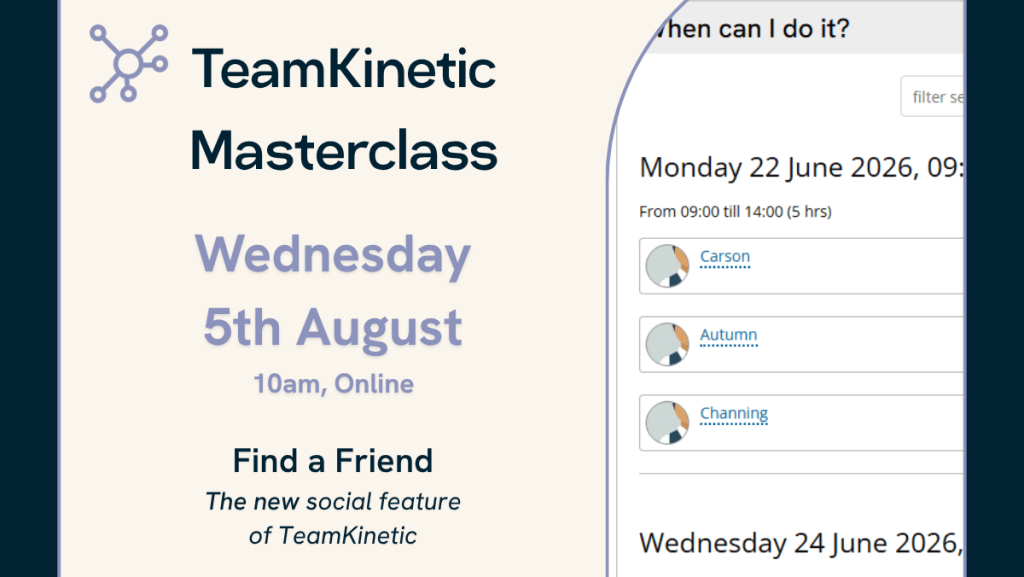
This is a feature that has been requested quite a few times over the years, and we’re happy to deliver it now in a way that works for all our TeamKinetic users. So join us for this Masterclass and learn all about best practices for this new tool.
We’re always looking for new topics to cover in these Masterclasses. If there’s anything regarding the TeamKinetic system that you’re not quite sure on, you can suggest it via email, live chat or support ticket, and we’ll add it to our list of topics to cover.
You can also watch all past Masterclasses via the TeamKinetic YouTube channel.
Have you discovered everything the new update has to offer?
We released a huge new update to TeamKinetic in April, including headline features: Flows, Multiple Location Opportunities, and Volunteer ‘Find a Friend’, among a lot of little behind-the-scenes improvements.
We hosted a launch Masterclass for this update, where Rolf went through these big features and what you need to know about them. You can catch the recording here:
But what are these features?
Flows allow you to create a step-by-step process to speed up things like onboarding, inductions, and qualification checks for your volunteers. Read more on Flows here.
Multi-Location Opportunities are what they suggest – an opportunity that can be done from more than one place. You can now house unlimited locations under one single opportunity. Read more on Multi-Location Opportunities here.
Volunteer ‘Find a Friend’ allows volunteers to see who else is signed up for an opportunity. There are a few controls around this:
- If you go to your Super Admin Settings → Options → Opportunities (and scroll to the bottom), you’ll see a few options that let you turn this on/off, specify what information is shown, and set when it is shown.
- You can turn it on/off on an opportunity-by-opportunity basis.
- Volunteers can opt in or out of sharing their own information.
Read more on Find a Friend here.
The next Digital in Volunteering – Community of Practice event for your calendar…
Building Digital That Doesn’t Exclude (29 October)
This session will explore how to embed accessibility, trust and fairness into all your digital processes. Book now.
Previous CoP Events
April 2026: Digital for Coordination and Capacity
January 2026: AI in Volunteering
September 2025: Reward and Recognition
June 2025: Marketing, Communications, Connectivity, and Interoperability
Join the Digital in Volunteering Community of Practice for free to unlock full access to a range of great resources, including the Digital in Volunteering Toolkit and all past event recordings.
Other stories:
Leave a Reply