Tag: vms

Let your Volunteers Find a Friend within TeamKinetic

In April, we released a fantastic new update to the TeamKinetic volunteer management system that included three features we’re really excited about: Flows, Multi-Location Opportunities, and volunteer Find a Friend.

We’ve already covered the first two in other content, now it’s time for us to shine a light on the feature that we think will really boost community amongst your volunteers…

What is ‘Find a Friend’ in TeamKinetic?

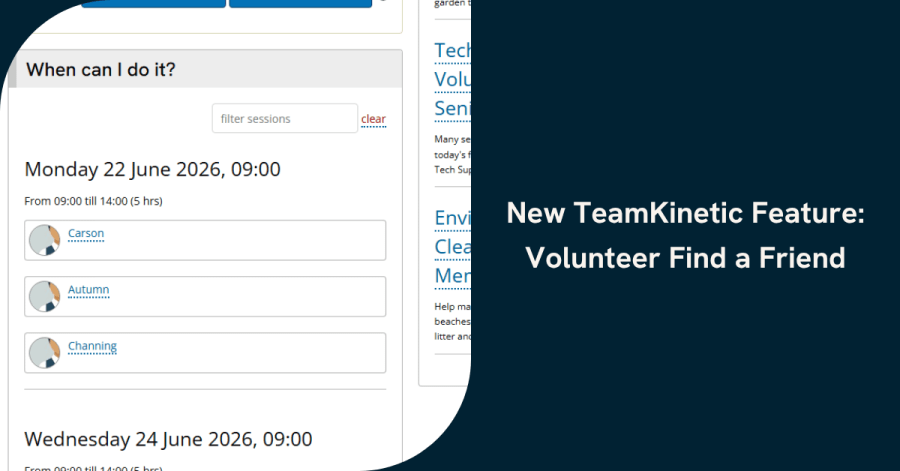
Find a Friend does what it says on the tin – it allows volunteers to see other volunteers who have signed up to an opportunity. And now you’re probably thinking: “Hold on, what if I don’t want to share those details? What if my volunteers don’t want to share their details?”

Well don’t worry! There are plenty of settings to restrict this in a way that works for you, whether you turn it off completely or limit what is seen, and your volunteers have to opt-in too. You can also toggle sharing in every individual opportunity, so its very flexible.

Ultimately, Find a Friend aims to boost your volunteering community and build stronger bonds between your volunteers.

What are the restrictions?

If you’re a Super Admin user, you can head on over to Settings – Options – Opportunities and scroll all the way to the bottom. There, you’ll see a set of options around this feature, and you can control it to fit your organisation.
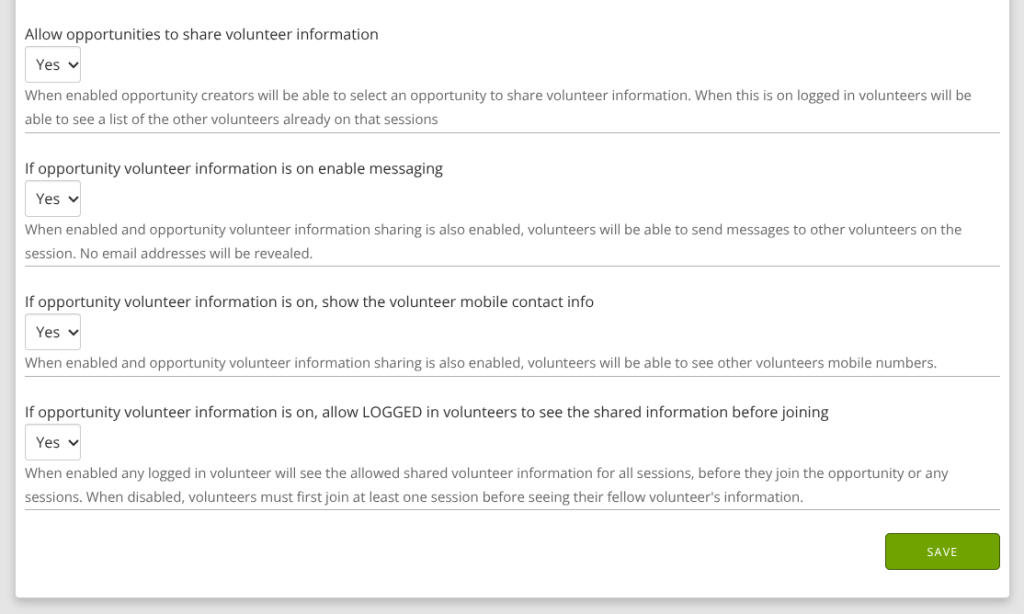
A screenshot of the options within TeamKinetic settings that can alter the Volunteer Find a Friend feature.

You can choose:

  • whether it’s on at all and showing the volunteer photo and name
  • whether to enable messaging between volunteers
  • whether to share volunteers’ mobile numbers
  • when volunteers can see this information

Once the overall setting has been turned on, the usage is decided on an opportunity-by-opportunity basis. When creating an opportunity, you can choose whether it is switched on or off.
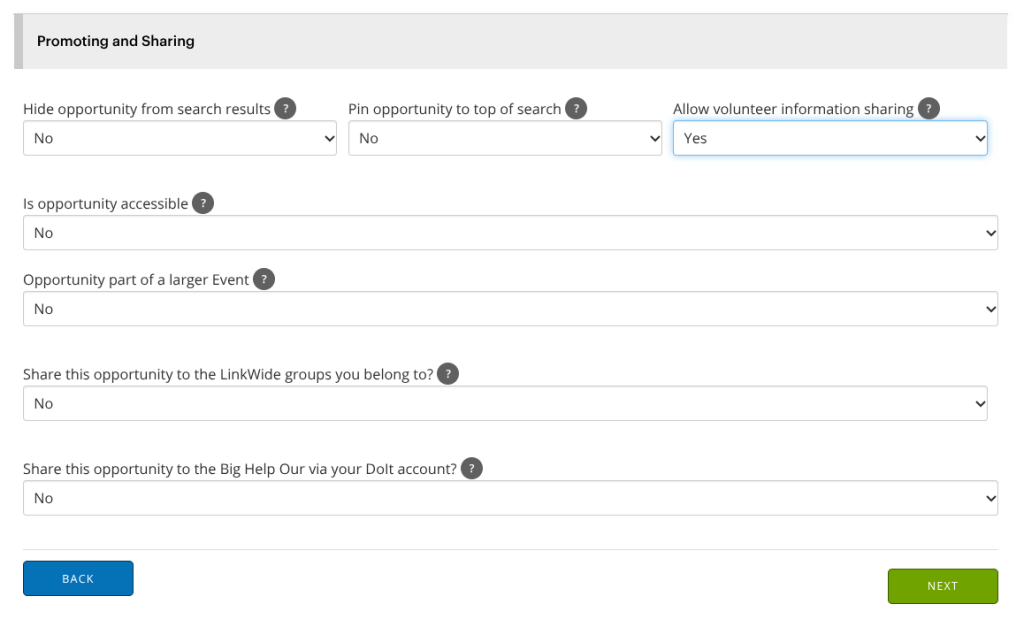
A screenshot of the options related to Volunteer Find a Friend seen while creating an opportunity within TeamKinetic.

By default, all volunteers are opted out of allowing their details to be shared. When a volunteer joins an opportunity that has this feature enabled, they’ll receive an email asking them to opt in.

Volunteers can update their choice at any time from their dashboard in the Notifications and Permissions section.
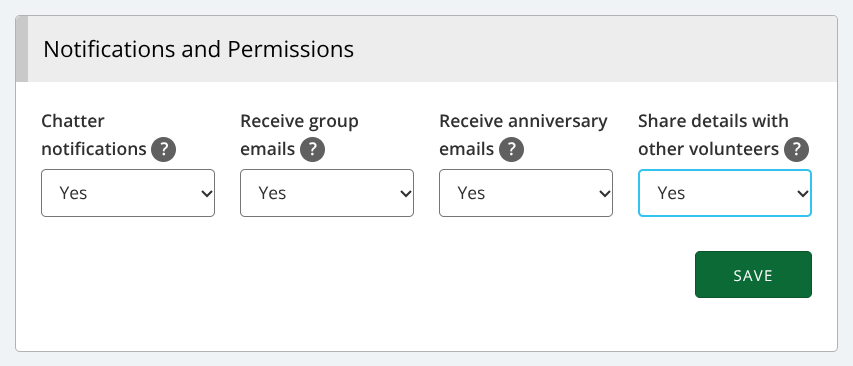
A screenshot of volunteer notification and permission settings within TeamKinetic, one of which alters whether they share their details for the Volunteer Find a Friend feature.

Why use Find a Friend?

Using this feature can encourage group volunteering and foster a greater sense of community amongst your volunteers.

Many people new to volunteering may want to volunteer alongside their friends to begin with. This enables them to find out which sessions their friends are on and book onto the same sessions.

Alternatively, a volunteer may make friends while volunteering for you and want to stay connected with these friends, continuing to volunteer alongside them.

We understand that not everyone will want to share data, and that some organisations will want to share more data than others. That’s why we’ve developed a variety of settings in relation to the Find a Friend feature.

However, if you think there’s still room for improvement, please let us know. This is a new feature after all, and we’re always looking for ways to keep developing TeamKinetic! You can send feedback directly to our development team via Support Tickets. Or you can send an email to any of the team, or pop into the live chat to let us know your thoughts.


We’re also hosting a masterclass all about the volunteer Find a Friend feature for all TeamKinetic users. You can book onto that now for free via Help & Support → Masterclasses & Training.
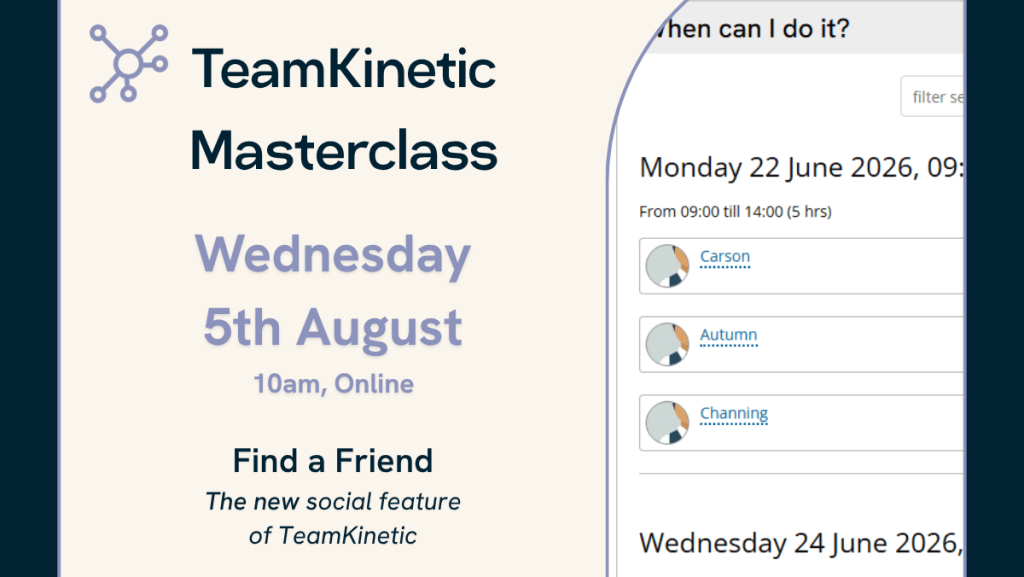
An image promoting the next TeamKinetic masterclass on the Volunteer Find a Friend feature. Taking place on Wednesday 5th August at 10am.


To find out more about other new features, you can check out our blog on Flows and Multiple Location Opportunities.

Find TeamKinetic on socials:
Why Analysing Your Volunteer Programme is so Important

If your organisation has an established volunteer programme, you’ll have your volunteers up and running with good quality opportunities, but now it’s time to evaluate. Maybe you’re already analysing your volunteer programme, but is it enough?

Analysing your volunteer programme can provide key insight into the impact of your programme. This could include how you’ve improved the lives of people in the local community and key demographics of your volunteers. So let’s dive right in…

The Fundamentals

Let’s start with your goals. Do you have them and are you achieving them?

Simple reporting tools can help you recognise whether you’re hitting these goals. If you are, it can inform how you go about setting new goals. If not, it’ll give you an idea of how to adjust your operations in order to achieve them. And if you’re yet to set any goals, key KPIs can help you draw some up.

What are KPIs?

Key Performance Indicators: a set of quantifiable measurements used to gauge a company’s overall long-term performance. This could include things like:

  • Total number of active volunteers
  • Volunteer retention rate
  • Total number of hours logged
  • Volunteer demographics (gender, age, ethnicity, location, etc.)
  • The monetary value of services rendered by volunteer support
  • Number of people in the community served by volunteers

So Why Is It Important?

Analysing your volunteer programme is a pathway to discovering a whole host of things.

Volunteer retention rate can suggest the happiness of your volunteers or quality of your opportunities. If volunteers aren’t happy and don’t have access to good opportunities, they won’t keep coming back. You can read more on how to fix this issue in our ‘How to Increase Volunteer Retention (and keep it!)‘ blog.
Just remember: a happy volunteer is a loyal volunteer!

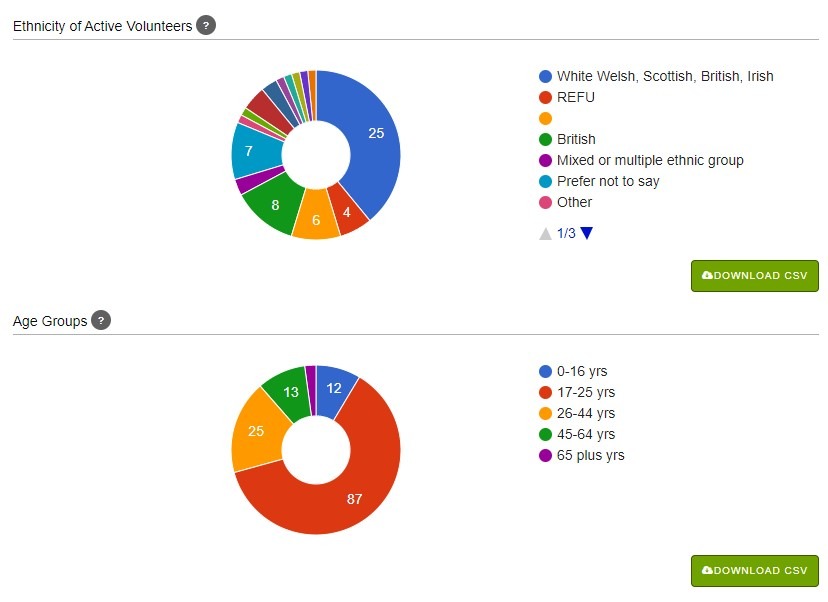
Furthermore, volunteer demographics can be compared to demographics in your area to see whether your programme is attracting an expected variety of people. If not, why not?
For example, demographics showing a very high proportion of white volunteers in a very ethnically diverse area could suggest there are barriers to people in your community who want to volunteer. Our recent post Is Your Pool of Volunteers Diverse and Inclusive? provides valuable tips on how to improve this within your own organisation.

However, data isn’t just about spotting areas for improvement. It could also be used to identify those who are going above and beyond for your organisation. With tools like hour logging and feedback, you can see which volunteers are giving their time the most and receiving praise for their work.

How can I get started?

There’s a good chance you’re already managing your volunteers digitally, but are you using volunteer management software? Software can put everything in one place for you, allowing you to manage, communicate, and analyse your volunteers in a few clicks. You can read more about implementing volunteer management software in this blog.

While it’s possible to analyse your volunteers using spreadsheets and other software, it’s definitely much easier to have everything in one place. Instantly have everything you need to manage your volunteers all in one place, leaving you more time to focus on the important stuff.

Why not try TeamKinetic?

You can start a free trial of TeamKinetic on our website. This will let you check out all our features for 30 days. This includes features such as volunteer-owned profiles, the ability to log hours completed, and reporting tools. If you like what you see, contact us to book a demo and see how we can help your organisation manage your volunteers and start analysing your volunteer programme!

Contact us:
– Email: alex@teamkinetic.co.uk
– Phone: 0161 914 5757
– Social media:

Twitter       Facebook       LinkedIn       YouTube       Instagram

Powered by WordPress & Theme by Anders Norén