Are you ready for GDPR?

A whitepaper to help you get ready for GDPR and find out what it means for your data.

Whitepaper – Are you ready for GDPR – Download the paper here.

What should you be doing now?

If you haven’t started preparing your organisation for compliance then the next 3 months are crucial. If you have started getting ready for the GDPR deadline,  keep going.

Make sure your board is bought in to the importance of the project. Having the support you need from the top is vital to the GDPR compliance process.

ONCE THE GDPR COMES INTO FORCE, YOUR BUSINESS MUST:*

  1. Keep a record of data operations and activities and consider if you have the required data processing agreements in place
  2.  Carry out privacy impact assessments (PIAs) on products and systems
  3.  If applicable to your organisation, designate a data protection officer (DPO)
  4.  Review processes for the collection of personal data
  5.  Be aware of your duty to notify the relevant supervisory authority of a   data breach
  6. Implement “privacy by design” and “privacy by default” in the design   of new products and assess whether existing products meet GDPR standards


What are TeamKinetic doing right now

See what we have already put in place, to be ready for 25th May 2018.

https://teamkinetic.co.uk/blog/2018/02/07/teamkinetic-updates-new-eula-and-data-policy/

We continue to work with our customers to ensure compliance and understanding.

Are you ready for GDPR?

Deadline – 25th May 2018

Information sourced from UKFast, Berwin,Leighton,Paisner and Onside Law

Contents

Let’s refresh

Why has the GDPR come about?

What about Brexit?

What should you be doing now?

Data security is EVERY business’s business

Key changes to consent

Key changes to breach notifications

Are the rules different for electronic communications?

What is TeamKinetic doing right now?

Disclaimer: The information in this whitepaper is for your general guidance only and is not and shall not constitute legal advice. If you need advice on your rights or responsibilities or any legal advice around data protection matters, please obtain specific legal advice and contact an adviser or solicitor.

Let’s refresh…

What is the GDPR? The General Data Protection Regulation (GDPR) is a binding legislative act from the European Union for the protection of personal data. The Regulation tackles the inconsistent data protection laws currently existing throughout the EU’s member states and facilitates the secure, free-flow of data.

Why do you need to know about it?

As of April 2016, businesses have been preparing for the legislation coming into effect on 25th May 2018. Although we are in the process of leaving the EU, working towards GDPR compliance remains crucial.

If you fail to comply with the Regulation you could find yourself being fined up to 4% of your company’s global annual turnover and your reputation damaged beyond repair.

That is 4500% increase on current fines that can be issued by the ICO!!

Now that the deadline is just 3 months away, is your organisation ready?

Why has the GDPR come about?

There is a need in Europe and beyond for a standardised data protection framework that addresses the rapid technological advancements that have taken place in recent years, putting the personal data of the masses at risk.

Where do vulnerabilities lie?

Everywhere. All organisations are at risk of a cyber-attack, despite common misconceptions that some industries are more secure than others.

The results of a survey carried out by the Information Commissioner’s Office (ICO) of 173 councils at the end of 2016 reveals that more than 15% of councils do not have data protection training for employees processing personal data and a third do not carry out privacy impact assessments (PIAs) as required by the GDPR.

The survey’s release coincided with the news that the ICO had fined Norfolk Council £60,000 for a data breach in which social work files were discovered in a cabinet bought in a second-hand shop by a member of the public.

Capgemini: The Currency of Trust, February 2017

74% of UK SMEs had a security breach in 2016.

While leaving vulnerable information in a cabinet or on a train may seem like a problem from 1997 rather than 2017 – when cloud technology means physical files never need to leave the office – the overarching security challenge remains.

Professionals across the public and private sectors must be aware of the nature of the data they are accessing from their home networks and ensure they are doing so securely.

Computer Weekly: Many Councils Still Unprepared for GDPR, March 2017

What about Brexit?

Despite the vote to leave the EU, UK businesses must continue to work towards GDPR compliance. Not only has the UK government stated that it is good business practice to do so, but the legislation applies to all businesses working within the EU and with EU data. A failure to comply can lead to significant fines and irreparable damage to a company’s reputation.

The latest thinking is that the UK could replace the 1998 Data Protection Act (DPA) with legislation that mirrors the GDPR, enabling the UK to achieve free data flow with the EU post-Brexit. The government has warned that it may take two to three years for the European Council (EC) to decide that the UK has an adequate data protection regime.

While the impact of the Investigatory Powers Act on the UK’s GDPR compliance has yet to be fully understood, it is possible that the mass surveillance and data retention practices carried out under the Act could cause issues when the EC comes to decide whether the UK’s practices are adequate. The existence of these two extraordinarily contradictory legislations could result in a UK equivalent of the Privacy Shield agreement held between the US and the EU to facilitate secure transatlantic data flow.

If your business activities are contained within the UK or elsewhere within Europe, you will have to observe the protections afforded by the GDPR for citizens.

What happens if my business is not complaint?

The GDPR introduces a two-tier fine system that emphasises just how small a financial deterrent existed under the Data Protection Act (DPA).

As of the 2018 deadline, any data controller or processor that fails to comply with the Regulation will face the following fines:


Tier 1

If a data breach occurs that puts highly important data at risj, the data controller/processor will be fined upto €20M (£17.25M) or 4% of the previous year’s global annual turnover, whichever is greater.

Tier 2

Any other data breach could lead to fines of up to €10M (£8.6M) or 2% of the previous year’s global annual turnover, whichever is greater.


It is estimated that if breaches remain at the same level as in 2015, the fines given will raise 90 fold from €1.4 billion to €122 billion

Key changes to consent

Do you ask your customers for permission before you use their data? Do you go a step further and tell them what it will be used for? If the answer to either – or both – of these questions is no, you could be in trouble if you don’t start changing your ways before the GDPR deadline.


Why is consent important?

Consent enables your business to lawfully process data.

Organisations applying the GDPR’s standards are giving individuals greater control over their information and, in turn, building trusting relationships that ultimately keep customers coming back for more.

Any business found to be misusing personal data will be fined according to the highest level of the two-tier system and – most poignantly – is at serious risk of damaging its own reputation. When is consent required? You must have the data subject’s consent to lawfully process their data. However, just to confuse things, there are instances that will call for consent to be acquired via alternative methods; we’ll clarify this shortly. Consent is also needed under ePrivacy laws if you’re in the business of tracking communications and installing software and apps on devices.

If you want to use someone’s personal data they must give you explicit consent to do so. This means in practise no pre-ticked boxes, a user must always choose to tick the box.

If you want to use an individual’s personal data for multiple purposes, they must give consent for each purpose, separately


Who might need an alternative method of gaining consent?

Most commonly, data controllers in a position of power such as public authorities and employers who are likely to find getting valid consent challenging and so must consider the alternative options.

For example, if you are a highly successful eCommerce business is bringing on board a new supplier of garden furniture, you will need a contract with them that clarifies the role of each party and enables you to lawfully process their data.

Whether you are the data controller or processor, you must always record how consent was given, who from, when, how, and what the interested parties were told.

You must not bundle your consent request with your standard terms and conditions.


Does your consent process meet GDPR standards?

Carry out a thorough review of existing consent processes and asses whether they meet the Regulation’s requirements. if they do, there is no need to request consent from the subject again.

Key changes to breach notifications

Europe had a phenomenally inconsistent data protection landscape. It meant that when a Switzerland-based business suffered a data breach affecting people in Greece, Italy and Spain, the organisation would need to comply with the breach notification standards of each of the three member states.

This lack of uniformity throughout Europe means that while some member states, such as Spain and Germany, are recognised for their rigorous data breach privacy laws, there are also member states with minimal to no regulations in place.

In this environment, organisations in lax member states have not needed to notify an authority of a breach.

The GDPR smooths all this out with the introduction of a single breach notification requirement.


What is a personal data breach?

A personal data breach is not simply the loss of data but a breach of security, resulting in the destruction, loss, alteration, unauthorised disclosure of or access to personal data.

When must the relevant supervisory authority be notified?

The relevant supervisory authority must be informed of any data breach that puts an individual’s rights and freedoms at risk. This includes a loss of confidentiality and financial loss.

Data controllers must inform the supervisory authority without undue delay and within 72 hours of learning of a personal data breach. They must state:

  1. Its nature
  2. The approximate number of people affected
  3. The contact information for the organisation’s DPO (if one has been appointed)

The controller must also pin-point the likely consequences of the breach and the measures taken to reduce further risk to those affected.

Data processors must tell the data controller about a data breach without undue delay after having become aware of it.

If a breach is significant enough that it is in the public interest, those responsible – be that the controller or processor – must do so without undue delay.

The impact of data breaches If we hark back to our real world TalkTalk and Yahoo examples, we can see that the severe consequences each company experienced following their respective breaches were related to how they handled the aftermath of the breach and not simply because the breach happened in the first place.

What should you be doing now?

A personal data breach is not just the loss of that data but a breach of security, resulting in the destruction, loss, alteration, unauthorised disclosure of or access to personal data.

  • Educate your employees about    personal data breaches and how to   spot when one has occurred.
  • Set-up an internal process for reporting   a personal data breach.
  • Make sure you have the internal resources and processes in place to   detect and investigate breaches. Speak to any third-party data processers if they are storing your data.
  • Put an incident response plan in place.

Are the rules different for electronic communications?

No, not really. The EU has introduced a complementary legal framework to the GDPR to clarify exactly what data controllers and processors must be doing to protect individuals’ communications; electronic or otherwise.

  1. New cookies responsibilities   for browser providers Users must be given the choice to consent to cookies as part of the browser software set-up. This should reduce or eliminate cookie banners on websites entirely.
  2. Extra-territoriality and 4% fines The Regulation no longer applies solely to the EU. It applies to anyone in the world that provides publicly-available “electronic communications services” to acquire data from the devices of EU citizens. Any organisation that breaches the Regulation will be subject to the GDPR’s two-tier fine system. That means you should be paying attention even if your business is contained within the UK.
  3. The Regulation application is expanded Unlike its predecessor, the ePrivacy Directive, the ePrivacy Regulation goes beyond the traditional telecommunications organisations and internet service providers. It incorporates messaging apps like WhatsApp, and email providers, amongst other communications suppliers such as Facebook and Snapchat.
  4. New rules for processing communications data The Regulation introduces new rules for handling: what was said, who said it, where and when. This data is confidential; interfering with it could result in a Tier 1 fine.
  5. Exemption analytics cookies Businesses are exempt from the cookie consent requirement when using firstparty analytics. However, using third-party analytics platforms such as Google Analytics requires user consent.

For the non-techy amongst you, ‘party’ refers to the website that places the cookie. So when you visit www.ukfast.co.uk, and you find the domain of the cookie placed on your computer is www.ukfast.co.uk, this is a first-party cookie. If you visit www.ukfast. co.uk and a cookie by a suspiciously dissimilar name appears, this cookie has been placed by a third party.

Like the GDPR, the ePrivacy Regulation will come in to effect on the 25th May 2018.

Source: http://privacylawblog.fieldfisher.com/2017/the-new-e-privacy-regulation-what-you-need-to-know/

TeamKinetic Case Study: How Active Stirling uses TeamKinetic to integrate volunteers

Active Stirling delivers sport and physical activity across the Stirling area on behalf of Stirling Council. The responsibility for recruiting, managing and deploying volunteers and sports coaches falls to a wide range of staff within Active Stirling, including Mark Findlay the Employability and Volunteering Manager at Active Stirling. The following case study explores how TeamKinetic has improved the volunteer management process.

Active Stirling

Hello Mark, can you please tell us about your role at Active Stirling?

Collectively my team oversees the recruitment of volunteers and coaches for our community programmes such as term-time activities and holiday programmes. As part of our work, we also manage the coach education programme, which is aimed at offering local clubs, coaches and volunteers training opportunities from safeguarding and protecting children, first aid courses and other similar kinds of courses.

Can you tell me about the type of volunteers you manage?

We have a range of volunteers that contribute to the work of Active Stirling, the age really varies from young sports coaches to our walking groups. In terms of the number of volunteers we have if you look at our after schools programmes we have over three hundred volunteers helping to deliver breakfast, lunchtime and after-school clubs.

How did you previously manage volunteers?

Before using TeamKinetic, many of our groups were self-contained and operated independently. Of course, this was great that they were able to support themselves, but it also meant they were isolated. Using TeamKinetic has helped us to integrate these groups, provide a single platform for them to communicate and for volunteers from different cohorts to explore other opportunities.

Why did you start looking for volunteer management software?

We needed a systematic way of recruiting, deploying and managing our volunteers. It was around the same time I visited Glasgow Life, where I had previously worked and they introduced me to the software. I then reached out to Steve and Chris at TeamKinetic and we organised a meeting and demonstration.

How have you found using TeamKinetic’s Volunteer Management Software?

We have found the benefit of the software to be in its ability to be a ‘one-stop shop’. By that I mean it has all the functionality you need from an end user, the volunteer, to the opportunity provider, Active Stirling in our case.  It has become much easier for us to signpost our volunteers to finding opportunities.

How many opportunities do you post a month?

Currently, we post between 7 and 10 opportunities each month, but we expect this to rise once have we have the system fully integrated across the company

What makes TeamKinetic a stand out product?

“The system is easy to use and is really accessible for our volunteers 24/7. As many of our volunteers are students, they are able to log on when they want to see what opportunities are available. We can also upload all our training opportunities onto the system which again is great, as it keeps everything in the one place”

Thank you for your time and comments Mark.

With experience in working in Sports, Universities and Local Authorities, TeamKinetic has been leading the volunteer management innovation for the last ten years. Having developed one of the most advanced volunteer management system currently available on the market, with a core volunteer-centric design, it uniquely puts the volunteer’s experience first.

To learn more about the benefits TeamKinetic’s Volunteer Management Software could have in your organisation, please get call or email one of our team:

T: 0161 914 5757

E: james@teamkinetic.co.uk

School Under the Tree – Ethiopia – A mid-week reflection

One of TeamKinetic’s founding Directors, Chris, has joined the School Under the Tree to explore future voluntary opportunities in Awasa, Southern Ethiopia. In his latest blog, Chris shares his experiences and what he has learnt so far.

Over to you Chris…

Hello from afar!

In my last blog, I set the scene and expressed how we wanted to identify opportunities to develop this small and underprivileged town with a sustainable funding model for its school.

So as I reach the halfway point of this amazing experience, I wanted to reflect on what I have seen and learnt as a volunteer. I also want to ask you for your thoughts on how we make our projects more sustainable and resilient.

Day 2 – A Bumpy Arrival

After the 11 hours of flying, and 5 of the scariest hours of my life driving, our guide dropped us at our first hotel. Tired and a little travel sick from the journey we settled in for a few beers before calling it a night.

To welcome us into Awassa was Belay, the founder of The School Under The Tree and its head teacher. It didn’t take long before we started discussing the challenges the school is facing, and how with little funding, time or resources they have been coping.

We quickly got into discussing the many issues the school faced, and much like the English primary schools I’m more used to working with, it had neither the money or time to solve many of the problems. Despite being thousands of miles away, Belay was describing the same fundamental issues of many British Primary School.

It also became clear Belay was wary of the four strangers from England, promising him the world.  But once we began sharing our past experience in Schools, mine teaching PE, we started to build a level of trust. One of the most important lessons from this trip has been the building of trust and relationships. If we want to make this project a success, then we need nurture our relationships with the locals. In the evening we said our goodnight to Belay and our guide, settling in for a decent night sleep.

Day 3 – Just a little disruption

I was woken at 5:50 am by the crowing of a Cockerell, which I am convinced was positioned on my window ledge he was that loud! We convened at breakfast to plan our day.We convened at breakfast, making our plans for the day. It was far from the usual two pieces of toast and jam in the UK, but that’s not to say it didn’t do the trick.

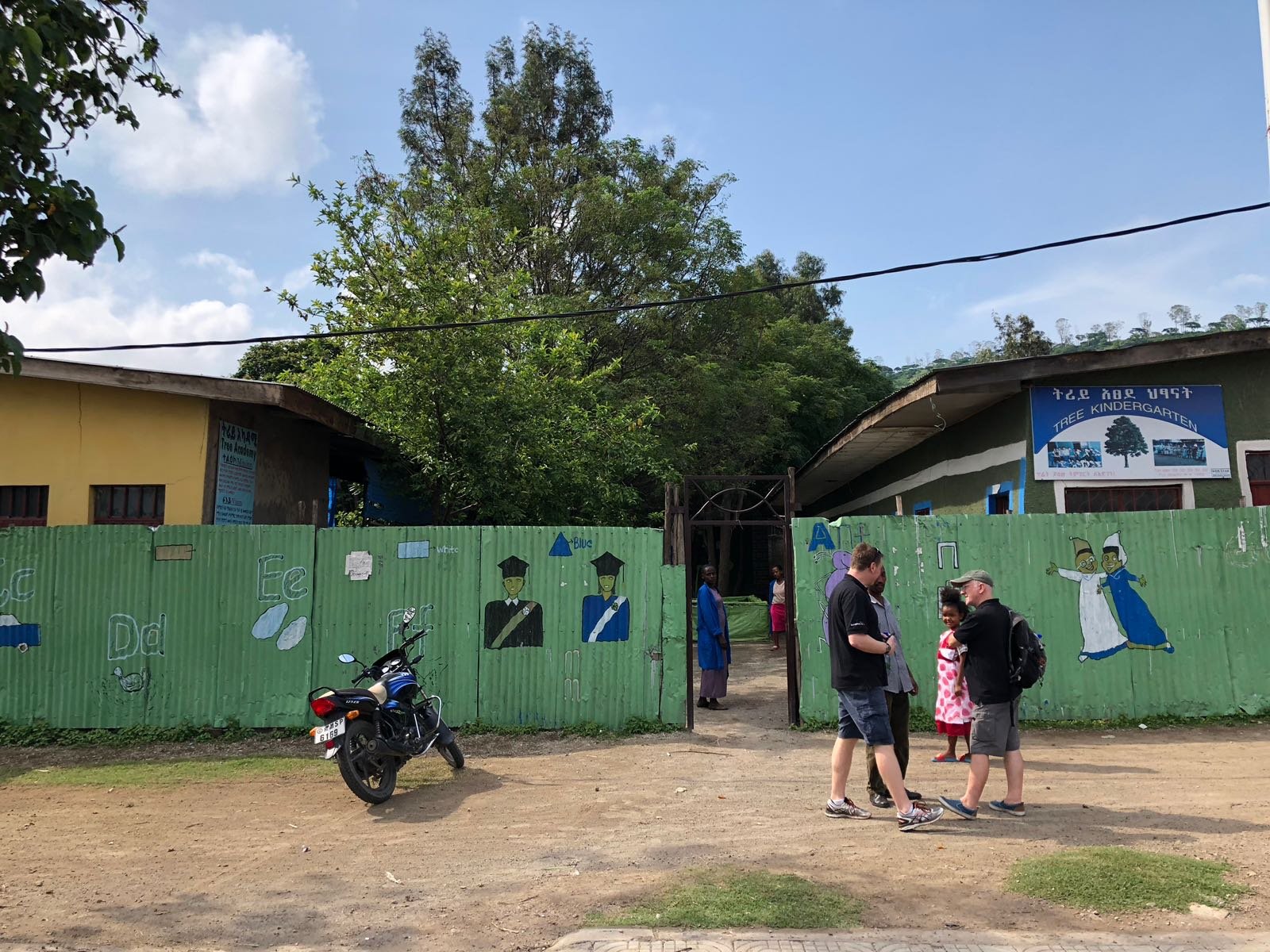
There was a mix of nerves and excitement to start our volunteering at the school, we did not know what to expect or how we would be welcomed. But what a welcome it was – excited, giddy, full of smiles and fun.  The children were just as curious as those in the UK, and with many of them not having seen an Englishman you can imagine the amusement. Unfortunately, the school facilities were unlike any I had taught before.  The school had just one toilet, a description I would use loosely and is without a playground or books. Instead, the school relies on enthusiasm and a desire to learn.

It became clear that we were going to be a bit of a distraction, I suppose if are going to be,  you might as well make the most of it. So Wayne, one of my group’s volunteers, began leading a rendition of Heads, Shoulders, Knees & Toes and so it began.

After lunch we sat down with Belay and picked up where we had left off the night before, discussing the issues he faced. Together we identified the following challenges the small private school faces in delivering an education to the very poorest children in the area:

  • There are far more children than spaces available in the school.
  • Property values in Awassa are seeing a significant increase under the pressure of urbanisation making rent very expensive.
  • The school is fully dependent upon charitable donations.
  • The local tax regime treats private school as any other business and the corporate tax on income is high and treats charitable donations as part of their income.
  • Children who graduate from the school can access free government school places at Grade 1 but many don’t seem to do this and right now we don’t know why that is.

I would love to speak to other organisations or individuals who have experience of working in Africa and Ethiopia who might be able to share their experiences with regards to these issues.

Our solution is to develop a volunteer tourism service for students. We want to recruit up to 20 students in 2019 to visit Awassa for two weeks and work at the school and orphanage as teachers and youth workers. We would train and support the students prior to visiting Ethiopia and they would help promote the charity to their friends and family.

I can say this experience has been truly amazing and has altered my perception of Ethiopia and Africa so much. As a relatively cynical 39-year-old businessman, I have found myself moved to tears by some of the wonderful stories I have heard this week. I think anyone who visited this amazing place would go home a more humble person.

This is our first venture into this type of activity and we are driven to succeed, The School Under the Tree deserves to succeed. I would love to hear peoples thoughts on using charity tourism to help fund this project, and your experiences of the dangers and un-foreseen impacts volunteer tourism can create.

Please feel free to reach out to me: chris@teamkinetic.co.uk

TeamKinetic Case Study: NHS Trust of Warrington & Halton Hospital

The combined NHS Foundation Trust of Warrington and Halton Hospitals is responsible for a budget of around £215 million each year. They manage over 4,200 staff and provide access to care for over half a million patients.

Two volunteer managers, Claire and Emily, manage and coordinate volunteers across the entire trust. We spoke to Claire to find out how Warrington and Halton have managed volunteers since December 2016 using TeamKinetic volunteer management software.

WHH VOLUNTEERS LOGO

Can you explain your roles and responsibilities at Warrington and Halton Hospitals?

Emily and I lead the volunteer programme here at Warrington and Halton Hospitals Trust.  We are responsible for the safe recruitment and training of new and existing volunteers and developing innovative ways to engage volunteers to support patient and visitor experience.  We also work alongside the whole staff team to develop and improve their volunteer management skills.

How did you come across TeamKinetic?

In a previous role, I was the North West Volunteer Centres Representative for NCVO and had a demonstration of the Volunteer Kinetic software when the Volunteer Centre network was looking at alternative brokering solutions. It was a couple of years later when working with Warrington and Halton NHS Trust that I saw the opportunity for TeamKinetic to provide its software benefits for the organisation, so I got in touch.

Can you tell me about the kind of opportunities you have available to volunteers?

Currently, we have 32 different opportunities for volunteers to get involved with. Both clinical and non-clinical.  Some of these roles are more traditional such as our administrative roles, meeting and greeting and ward buddies, but there are also some unique roles that we have developed specifically for us. We have worked closely with our theatre departments, to develop roles for volunteers to assist our sterile services and provide back-office support to the stores. We also have volunteers in our eye clinic, medical engineering department and accommodation and education department to name a few.

How has TeamKinetic improved the recruitment process for volunteers?

The volunteering portal provided by TeamKinetic has allowed a simple registration process for our new volunteers enabling us to exceed our volunteer recruitment forecast to date. Being able to monitor the recruitment steps and manage the administration of DBS checks has supported a smoother and quicker registration to active rate.

How has TeamKinetic benefited the volunteer?

Our volunteers are aged from 16 to 83. For those confident using technology, it has handed over the responsibility for finding opportunities, logging hours and tracking their progress. This has incentivised them to search for more opportunities that match their interests and suit their needs.

Of course, for those less confident using technology we have spent some time showing them. For others we can imitate them as a user, enabling us to log their hours and track their activities.  Provider and Volunteer feedback on the portal is also a useful tool in encouraging others to register and supports the recognition and reward of their individual contribution. We have received some great feedback from our volunteers, telling us how much they like the system and like being able to pick their own opportunities and have the ability to try a variety of roles at the same time.  This has been a major draw for some of our younger volunteers who are keen to further their education and careers in the Health and Social Care field.

How has TeamKinetic benefited the opportunity providers?

Using the volunteering portal to list opportunities has made advertising opportunities across lots of social media channels and websites a lot easier. We take a short amount of time to train key staff to upload opportunities themselves if they are confident. This gives them more freedom and access to engaging volunteers who engage in their area of work

For those departments and staff who have time limitations and have a host of other programmes and systems to use, we are able to take the pressure off them and do it on their behalf. Collectively, this reduces the pressure placed on us volunteer managers and also reduces the time it takes for them to advertise opportunities.

What influence has your organisation had in the development of TeamKinetic’s functionality?

Over the last year, we have continually provided feedback on how the system could be developed to support specific aspects of our recruitment and administration processes and give us back valuable time to support our volunteers and staff. As the NHS’ recruitment is a much more stringent process compared to other sectors, such as sport. We needed a greater focus on the internal documentation required, and some of the suggestions we have made have gone into the development of the software.

What advice would you have for other NHS Trusts who need to improve their volunteer management?

For us, TeamKinetic software simplifies the recruitment and management of volunteers, enabling us to advertise opportunities on multiple social media channels and being an easy read platform for our volunteers to get involved in the opportunities available. Engaging more volunteers and providing robust good quality opportunities that support our staff and patient experience enables us to add value and improve our service to those using Warrington and Halton Hospitals NHS Trust.

Thank you for your time and comments, Claire and Emily.

If you would like to find out more about TeamKinetic’s software work please visit our website or read more on how we have helped NHS Trusts to improve their volunteer management. Check out our other blog on NHS Pennine Acute Trust or book a free demonstration now.

You can find TeamKinetic on social media and listen to our podcast:

Twitter       Facebook       LinkedIn       YouTube       Instagram       Podcast


Have you enjoyed using TeamKinetic? If you could leave us a review on G2, we’d really appreciate it! We’ll even send you a little thank you.

TeamKinetic Academy: TeamKinetic Chatter, Online Chat Rooms for Opportunities

TeamKinetic is pleased to announce that the latest version of TeamKinetic Volunteer Management Software has arrived, bringing with it many new tools and features.

Now available is TeamKinetic Chatter that provides isolated chat rooms for opportunities that volunteers, providers and admins can use. It is a secure platform for volunteers and opportunity providers to communicate without the use of external instant messaging services.

TeamKinetic understands the importance of being able to have a communal area for volunteer and opportunity providers to be able to share their thoughts and comments on an opportunity. It enables those essential messages to be communicated to all volunteers without the formalities of an email or the cost of a SMS text.

In developing this functionality, the option to develop an API that connects Whatsapp or Facebook Messenger was considered. However, this feature would be limited as not all volunteers have the same access or use technology to the same extent as others. Factor in the inadequate control over how the data is shared following the acceptance of terms and conditions for using an external application and developing an internal function became more appealing. To help achieve GDPR compliance, it is in the best interest of TeamKinetic and our clients to reduce any opportunity for data to be shared unnecessarily.

TeamKinetic felt that by using our own chat engine it enables the opportunity providers and administrators to control the room’s tone, message and comments using the profanity filter and comment approval and deletion features.

TeamKinetic hopes that this new feature will continue to help develop the community aspect we want all of our voluntary organisations to share with its volunteers.

We look forward to showing how to use more of our functionality in the future.
TeamKinetic’s data policy can be found here

To try out TeamKinetic Chatter please follow the instructions below:

For volunteers,
Step 1 join an opportunity

Join an opportunity

Step 2 – using the left-hand navigation bar, click onto ‘chat room’

using the left hand navigation bar, click onto 'chat room'
Step 3 – enter any comments into the type area and click ‘add’


For opportunity providers,
Step 1 Using the navigation bar, hover over ‘opportunities & provider’ and on the drop-down menu, click ‘Opportunities’.

Using the navigation bar, hover over 'opportunities & provider' and on the drop-down menu, click 'Opportunities'.
Step 2 Find the opportunity you wish to add a comment to

 Find the opportunity you wish to add a comment to
Step 3 Using the left-hand navigation bar, click on the ‘chat room’ button

 Using the left hand navigation bar, click on the 'chat room' button
Step 4 Enter any comments into the type area and click ‘add’

 Enter any comments into the type area and click 'add'

If you have any further questions or would like to share your thoughts, please get in touch with our team.

From Volunteer Management Systems to Volunteering in Ethiopia

School Under The Tree

School Under The Tree

A few months ago I wrote a post about the potential impact we can all make and how we as individuals and business owners should try to maximise that impact. It occurred to me that I really needed to live by my own message and I started to look for new personal and business projects to increase my impact.

Through a friend, I was introduced to The School Under The Tree, a Manchester based charity that supports a school project in Ethiopia. The charity name echos its beginnings, a young Ethiopian man teaching local street children under a tree in the town of Awasa in Southern Ethiopia. Supported by people from Manchester, that school of humble beginnings has 13 years later transformed into a provider of primary age education for over 200 students every day.

The challenge

How can we make this small school in Ethiopia, sustainable and maybe even give it the potential to grow, without it being dependant upon donations and funding?

This is a challenge many fundraisers and 3rd sector organisations around the world battle with every day. My goal is to develop a business model that will allow the school to prosper long term, whilst staying true to its goal to provide education for some of the poorest young people in this region.

Over the next few days I’ll blog about my experiences in the school and share ideas on how we might help achieve long-term viability for the School Under The Tree. If you have ideas please comment below or follow us on twitter @schoolundert.

Introducing ‘Focus’, TeamKinetic’s design principle for better volunteer management

TeamKinetic is now a mature and fully featured volunteer management solution. As it has matured we have been able to more rigorously enforce a design principle for better impact across all user interfaces that we call Focus.

Focus is a collection of typography, grids, spacing, colour, layout and sizing rules that aim to achieve consistency of design, fluid layout for smaller screens and help to retain user focus on important tasks.

Volunteers, providers and administrators are presented with large amounts of information and we have been working hard to make this volume of information easy to digest in our Volunteer management application so the individual user focus is on the most pertinent information.

The biggest layout difference you will see is the support for a two-pane design with navigation elements in the left pane and the action area in the right pane. This layout also encourages the collection of tasks into one area, either functionally similar tasks or tasks commonly undertaken at the same time.

ocus-two column or two pane layout

A two pane layout with a navigation bar on the left and the action panes on the right

Colours are restricted to a limited palette so that actionable areas like buttons, menus and links, are obvious and easy to find.

Font sizes are consistent and changes in font size are restricted to key text and headings.

Animation are used to indicated areas of focus when information is updated or the user enters a new area.

Panels are elevated when active using an animated shadow effect

Message and information areas are distinguished by a thick left border, the colour is contextual and can refer to the category, message type or other information.

Thick left borders indicated messages or important content areas

Where possible we want to avoid page refresh as this slows the users experience and can break their focus on the task at hand.  Volunteers, Providers and Admin users all want to be able to undertake tasks with the need for a screen refresh.  Extended use of AJAX , a method of performing user interactions immediately without reloading a new page, enables us to keep the user focused on their task without the interruption of a page refresh and the subsequent visual scan of the page to locate the last point of focus.

AJAX methods are employed extensively across the admin area, especially when editing opportunities or volunteer profiles.

Grids and spacing automatically adjust to screen size and allow navigation areas to collapse to icon only links and wide content to collapse into vertical stacks keeping readability high.

Collapsible elements retain readability and usability for small screens

We just wanted to let you know what’s behind some of the design decisions in the brand new TeamKinetic v1 release and our design intent going forward.

Please add any comments you have below, thanks, The Team.

England Athletics Join TeamKinetic’s Family  

England Athletics is the latest National Governing Body to be using TeamKinetic cloud-based Volunteer Management Software.England Athletics has placed volunteers at the heart of their most recent strategic plan with ‘Strategic Priority One’  being:

“To expand the capacity of the sport by supporting and developing its volunteers and other workforce”.

The recognition that volunteers are at the heart of England Athletics’ strategy has resulted in the demand for an effective volunteer management system.

England Athletics have initially focused on using TeamKinetic to support the 4,500 licensed officials, just one segment of volunteers that support the 149,000 registered athletes at events, competition and clubs.

Nicola English, Officials Development Officer, explains how TeamKinetic arrived on the scene:

“Starting my role in April last year, one of the key priorities was to improve the experience of our current officials and official secretaries. As part of the improvement, we wanted to make it easier for Officials to find competitions in their local area and to reduce the amount of time it takes for officials Secretaries to appoint and manage Officials prior to an event or competition.”

We searched several systems before selecting TeamKinetic for its simplicity and ease of use. Using TeamKinetic will make it simpler for Officials to find and join opportunities as well as reducing the time it takes Officials Secretaries to appoint Officials to competitions and events. We really like how responsive and easy to communicate it is with one of the team, especially if we have any technical queries”

England Athletics is the first National Governing Body to use TeamKinetic to such an extent for the management of Officials at competition and this has posed some interesting challenges for the development team at TeamKinetic.  It has provided a fantastic opportunities to test the application in this new context and we look forward to the spring and summer of 2018 where we will get to see these in action for the first time.

Chris Martin, Co-Founder at TeamKinetic comments:

“TeamKinetic began by helping sports organisations to recruit volunteers, but as we have progressed our software now caters for all volunteer-orientated organisation. We are delighted that TeamKinetic continues to attract leading National Governing Bodies and we look forward to working with England Athletics.”

For more information on TeamKinetic’s volunteer management software or to book an online demonstration, please get in touch james@teamkinetic.co.uk or call 0161 914 5757

Accessibility and TeamKinetic

I wanted to talk a little about how we adhere to the accessibility standards laid out by the W3 web consortium. These are termed Web Content Accessibility Guidelines or WCAG.

The WCAG documents explain how to make web content more accessible to people with disabilities. Web “content” generally refers to the information in a web page or web application, including:

  • natural information such as text, images, and sounds
  • code or markup that defines structure, presentation, etc.

These guidelines help people using assistive technologies, such as screen readers and text-only browsers, to navigate ever more complex websites.

An example of how the correct mark up can help is in navigation elements. We’ve all seen the standard top or side navigation bars in websites, that often have multiple sub-menus and let a user navigate quickly to any area of the website.

For instance, the Amazon navigation bar has over 100 such links hidden away in the navigation bar.

What is not apparent to users that are not using assistive technologies is that this navigation bar appears first in the content flow of the website. As a visual user you can quickly skip over that part and get on with buying a new TV by just averting your eyes. A screen reader however must read over that entire navigation section and read out every link, EVERY time a page is loaded, can you imagine the inconvenience and annoyance that would cause!

To overcome this web designers can use a specific HTML 5 element, plus a few other attributes from the ARIA set, to define a navigation section. This lets assistive technologies know that everything following that declaration is navigation, and the user can skip over them easily if they want to.

Check out this YouTube video of the old inaccessible amazon website to see just how annoying this would be.

So as you might imagine the first thing we do here at TeamKinetic is to make sure all the navigation elements are enclosed in the correct element tags so assistive technologies can render them correctly.

At a minimum, we seek to make sure every public page has no errors when scanned with the WAVE accessibility checker and on each audit we attempt to address any alerts that appear.

This is the list of major conventions we use to help us adhere to the WCAG standards;

  • All navigation elements are enclosed in an HTML 5 nav element that is given the role=”navigation” so that newer and older assistive technologies will recognise the enclosed section as navigation
  • All images have a meaningful alt tag so the user gets an idea of what the image means
  • All anchor or link tags have meaningful text, this is sometimes hidden from the non-assistive browser in the case of icon buttons for instance.
  • Text colour and the background is selected to have a contrast exceeding that recommended for the text size.
  • All input form elements have a label tag which describes what data should be inserted into the form element.
  • The tab order of form elements is logical and follows the on-screen order so that people can tab through a form easily.
  • ARIA roles and landmarks are used where appropriate.

In our next audit, we are attempting to improve the experience for our dynamic content. This is content which may appear or disappear without a new page being loaded. This means that users of assistive technology may become stuck on an alert or page overlay without knowing that it is there.

There are always ways to improve and if you have any comments or suggestions we would welcome them below.

TeamKinetic Case Study: Youth Hostel Association (YHA)

YHA England and Wales has over 120 YHA Hostels, another 25 franchise sites and 35 affiliate sites across the UK, and is the largest hostel provider in the UK. In its 85 Years of operations, YHA has been operating as a charity that aims to enable young people and schools, families and friends, travellers and individuals to explore, learn and relax the length and breadth of England and Wales. A vital part of this has been the involvement of volunteers who support the running of YHA.

YHA - Team Photo
Katie, Abigail, Jamie, Ros, Crewenna and Robert YHA Volunteering & Impact Team

Crewenna Dymond has been Head of Volunteering at YHA for the last twelve years. She has overseen the transition from the use of Excel sheets, paper files and a CRM system to using TeamKinetic for volunteer management. One year on, Crewenna shares her experience using TeamKinetic and the impact it has had on YHA’s volunteering.

How did you previously manage volunteers?

Previously, volunteers would have to call either the Volunteering Team or a local YHA directly to find when and where opportunities were available.

Once a volunteer had expressed interest in joining an opportunity, they would need to complete a PDF registration form, obtain references and potentially a DBS, depending on their role. Each of these items had to be processed manually and added to a physical paper volunteers folder. The process which was very timely, resulted in duplication and was very inefficient.

We also had a CRM system which was great for recording activity that had already happened, but there was nowhere to put in future activities, we always had to do this with an Excel spreadsheet.

The lack of a singular system also led to much confusion between volunteers and hostels, because there was nowhere to record what agreements had been made.

Why did you decide to look for a volunteer management software?

Despite all the difficulties of our system, it was an internal audit that sparked the need for a singular system to be put in place. There was concern that our data was spread across multiple areas leading to a higher risk to YHA than if it was to be held in one area/system, with an appropriate backup.

During the planning process, we looked to develop our current CRM system, but with the cost incurred, the continuous updates required and still no online tool for volunteers to use, we realised it would be more cost-effective to find a built-for-purpose system.

We looked at other competitors for volunteer management software before selecting TeamKinetic. We needed a system that looked and felt like the YHA website and the decision was made to use TeamKinetic because it could do this, it had the appropriate functionality and as a UK-based company, its data policies were aligned with GDPR.

Using TeamKinetic creates a singular place for the Volunteering team, Hostels and Volunteers to find and access information on the opportunities we have available.

How was the implementation process of TeamKinetic?

Before we imported our volunteer data to the system, we wanted to cleanse it (preparing for GDPR). We started with over 12,000 volunteers on our paper files. We decided to remove any volunteers who had been inactive for the last three years and the remaining 7,500 volunteers were invited to join the new system.

When the system went live in May 2017, we had 7,500 volunteers. Within 10 months using TeamKinetic we now have 10,500 registered users.

What benefits has TeamKinetic provided?

For volunteers it is the self-service side of the software, they are able to go onto the system and see everything they have booked onto, and log their hours, leave feedback and see their own progress.

For the opportunity providers, in our case the Hostels, the TeamKinetic framework has ensured opportunities are much more specific than before, including times, location and the responsibilities of volunteers. The Hostels are much more considerate of the benefits for volunteers and what is offered to them in return for their time because this is explained on all the opportunities pages of the website. This has led to a better experience for our volunteers, encouraging them to volunteer with YHA.

For our hostels, the biggest benefit of having TeamKinetic is the opportunity to create communities within their volunteers. Through the software, volunteers can be grouped into cohorts and communicated with via email or text. This direct communication enables opportunity providers to directly engage with their volunteers like never before. TeamKinetic has opened the door for opportunities to be advertised locally and attract those close to the hostel to get involved. We are finding the time it takes us to develop new opportunities is much shorter, making for a much more efficient process.

In terms of the benefit to us in the Volunteering team, it helps greatly to have everything in one place and having instant access to any of the information needed is very helpful.

How have you found the training, support and use of TeamKinetic?

Steve, the implementation consultant at TeamKinetic, took us through our training and showed us how to use many of the features. We could then refer to the training videos or training manuals both available online if we needed any further support. Of course, if there is anything additional that I need I can always access the team by calling their offices or emailing them or submitting a customer support ticket.

How did your volunteers find using TeamKinetic?

New volunteers have got on and used the website because they did not have any previous expectations.  For these volunteers making full use of the Events pages has helped us to help them find the opportunities of most interest to them easily.  Volunteers with less experience of using web-based technology have generally been positive about using it and with some tips and training, they have adjusted to the new ways of working fairly successfully.

We have found that the age of our volunteers is dropping. Around six or seven years ago, the average age for our volunteers would have been around 55. Now, over half of registered users are under the age of 26. We believe this is because the user-friendly system is something younger people are comfortable using, making it really accessible to them.

Do you have any other comments?

A couple of years ago we would have felt the cost of a volunteer management software system would be too much, it would be too much of a challenge and too much work to change systems. Having gone through the whole process, it’s actually not! For such a multi-site organisation to be able to transfer across to new systems in under four months, I’m sure smaller organisations will be able to do it much faster.

Thank you for your time Crewenna.

If you have any further questions or would like to learn more about TeamKinetic’s Volunteer Management Software please do not hesitate to get in touch with one of our team. 


You can find TeamKinetic on social media and listen to our podcast:

Twitter       Facebook       LinkedIn       YouTube       Instagram       Podcast


Have you enjoyed using TeamKinetic? If you could leave us a review on Capterra, we’d really appreciate it! We’ll even send you a little thank you.

Page 49 of 62

Powered by WordPress & Theme by Anders Norén